
Planning and retirement
Will there be enough, and when?
Your accounts tell you what you have now. They do not tell you whether it will last. WealthHorizon has three tools for that. The pension calculator asks two questions. The guided planner asks more, but only the ones that apply to you. The advanced planner lets you set everything yourself, and works out the tax and the inheritance tax year by year. They all work on the same plan, so you never enter anything twice. All three are in Pro.
Every screen on this page is the running application with a demonstration household loaded. The figures are that household’s, and they are fictitious.
None of this is financial advice. Every figure on this page is a projection worked out from numbers you entered. It is not advice, not a personal recommendation and not a promise. The application says the same thing on the screens themselves: “Guidance, not advice. Check with an adviser before acting.”
The tax and inheritance tax figures are worked out from published rates and allowances. Rates change, rules change, and your own position may not be the one the rules assume. Before you act on anything here, especially on inheritance tax, gifts or a move between countries, take advice from someone qualified to give it.
Two questions
When do you want to stop work, and how much of the pot do you want as tax-free cash? It uses the pensions already on your account, so there is nothing to type in. You get a monthly figure back straight away.
Use this when you just want a number.
Start guided
You pick the kind of plan you are making and answer the questions. It fills in what it can from your accounts first, so most of the time you are checking a figure rather than looking it up.
Use this when you are not yet sure what matters.
Set everything yourself
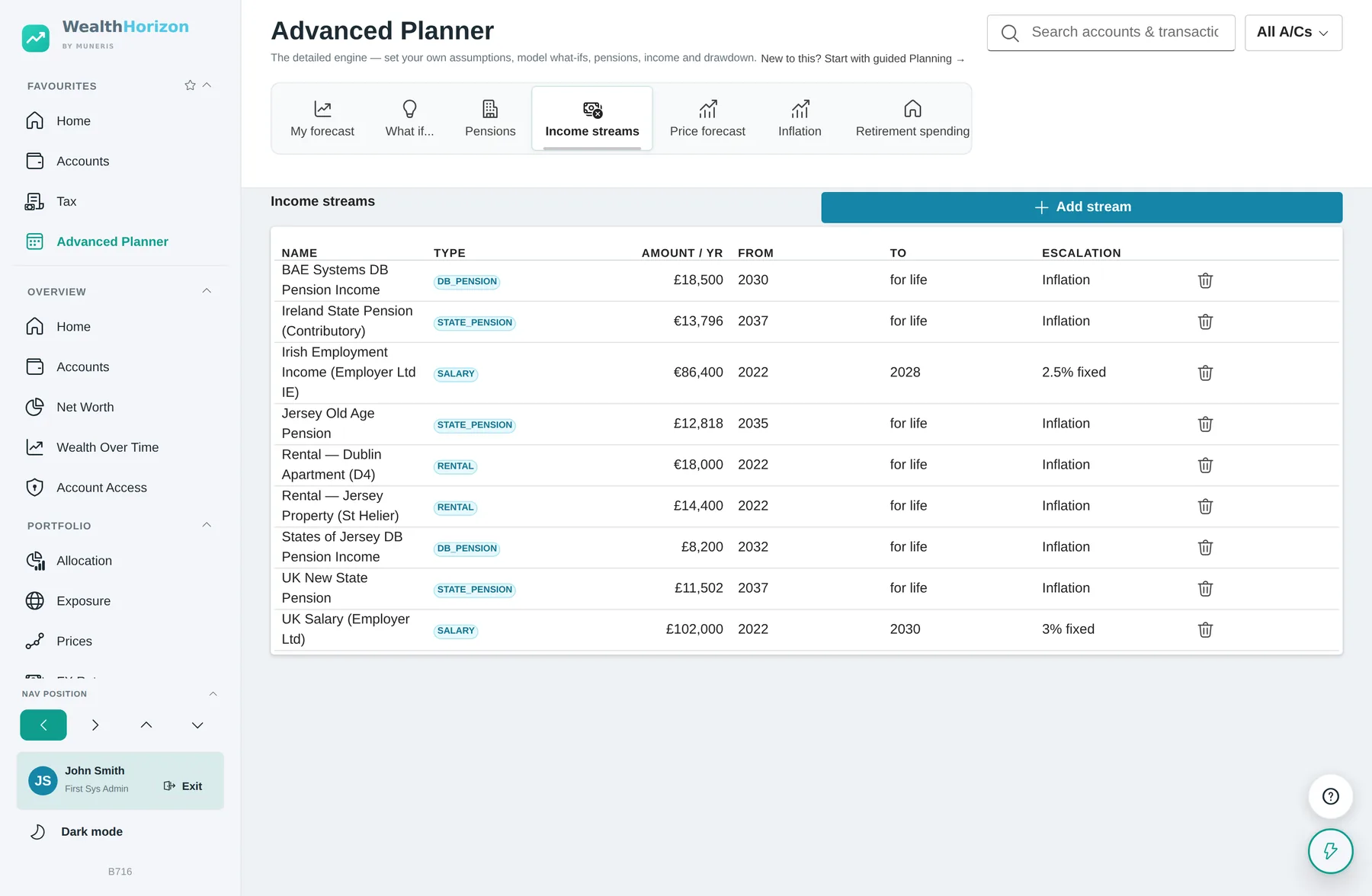
Growth rate, inflation, retirement age, which pot you spend first, each pension and when it starts, each income stream and when it stops. You set all of it.
Use this when you know what you want to change and want to watch it move.
It is all one plan. Answer the guided questions and the Advanced Planner button takes your answers with you. Build a plan by hand and the guided results read from that. The calculator uses the same pensions, and has a button on it to move up to the full fact-find. You only ever enter something once.
The pension calculator
Two questions, answered from your own pensions
Before you build a plan you usually just want one number: how much would I have to live on? Tax & Planning → Pension Calculator asks when you want to stop work and how much of the pot you want as tax-free cash. It reads everything else from the pensions on your account.
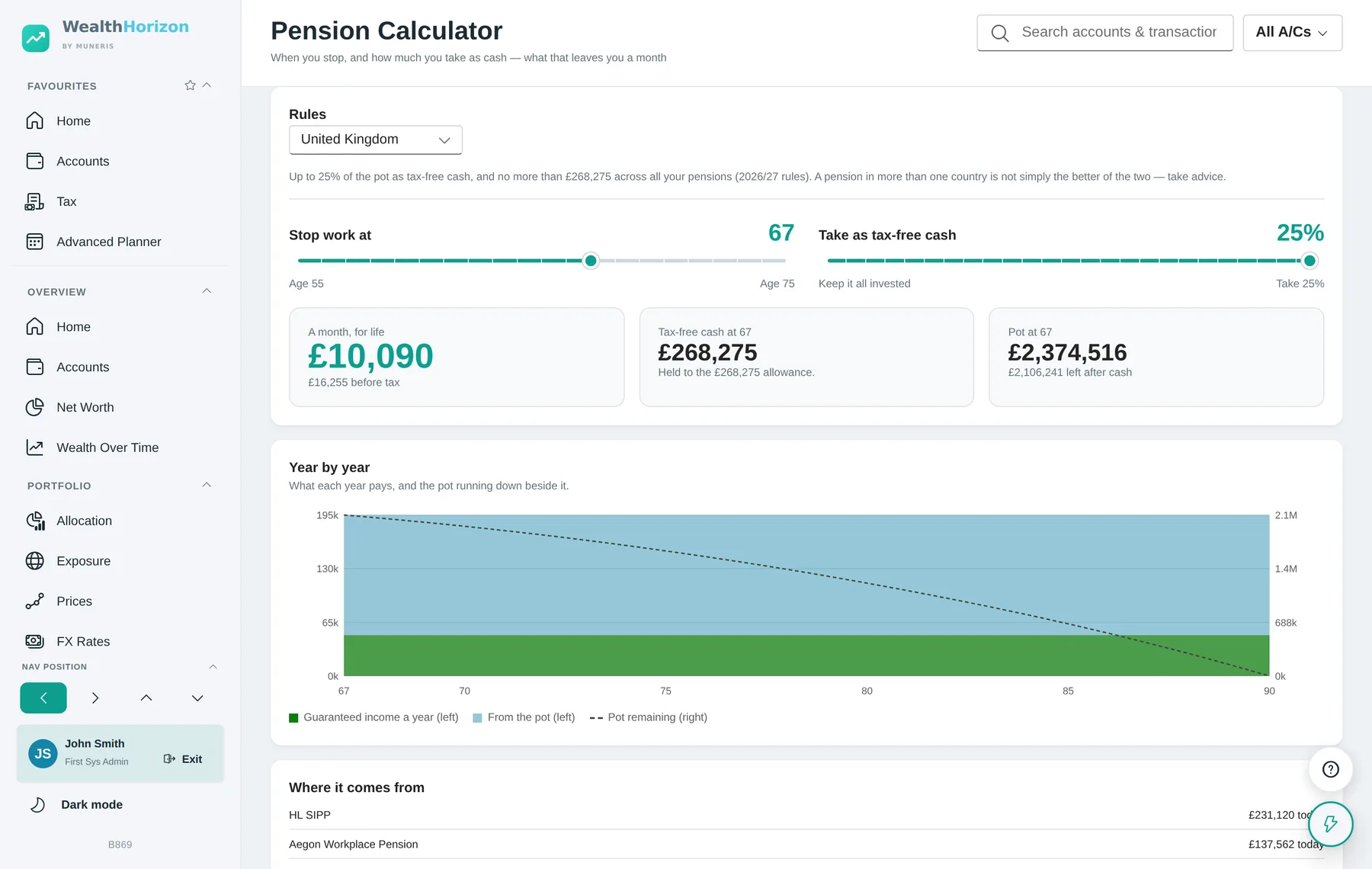
What it answers
The big figure is what you would have a month. That is what your pot can pay out every year until you are 90, on top of any pension already being paid. If a scheme or the state pension starts after you stop work, you get two figures: one for when you retire, one for when everything has started. Next to them are the tax-free cash and the pot, before and after that cash comes out.
Year by year shows the same thing as a chart. Guaranteed income is the bottom band. The pot sits on top of it. The dashed line is the pot running down. Stop later and the line starts higher and runs for fewer years. Take more cash and it starts lower. A screen reader gets the same thing described in words.
Check what it used. Where it comes from lists every pot and every guaranteed income behind the figure. If a pension is not on that list, it is not in the answer. The one people leave out most often is the state pension, which is usually the biggest guaranteed income they will ever have. The page can only count it if you have recorded it in the planner.
There are two limits on tax-free cash
The first is a share of the pot: a quarter in the UK and Ireland, 30% of an approved scheme in Jersey. The second is a cash ceiling on top of that, £268,275 in the UK and €200,000 in Ireland. That ceiling covers every pension you hold, not each one separately, so four pensions do not give you four ceilings. If the ceiling is what decides your figure, the page tells you underneath it.
Before tax and after it
All the figures are in today’s money. If the tax bands for that country are held in your currency, the monthly figure is after income tax. It taxes the pension income only, not any earnings, savings interest or dividends you might also have. The before-tax figure sits underneath, because that is the one your pension statements show. If it cannot apply the bands it says before tax and takes nothing off.
More than one country
If you have pensions in more than one country, the Rules selector shows what each country would allow, and the top of the slider moves with it. Use it to compare. It is not a choice you get to make: which rules apply depends on where the pension is and where you live. Take advice if a pension crosses a border.
The guided planner
Six starting points, and only the questions that apply
Most planning tools open with a blank form and ask for your retirement age. That is a hard question to start with. This one asks what kind of plan you are making first, then changes the questions to suit.
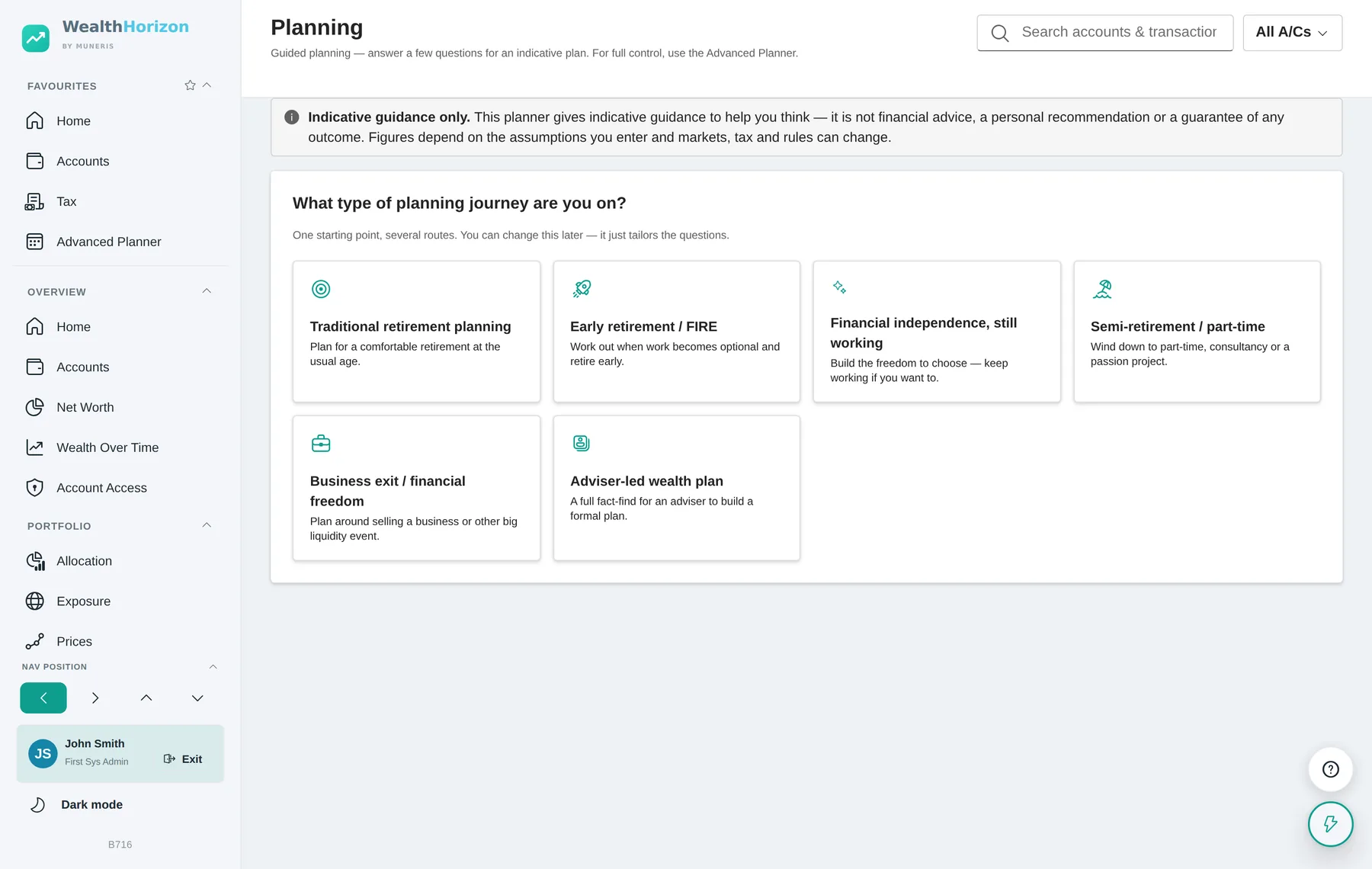
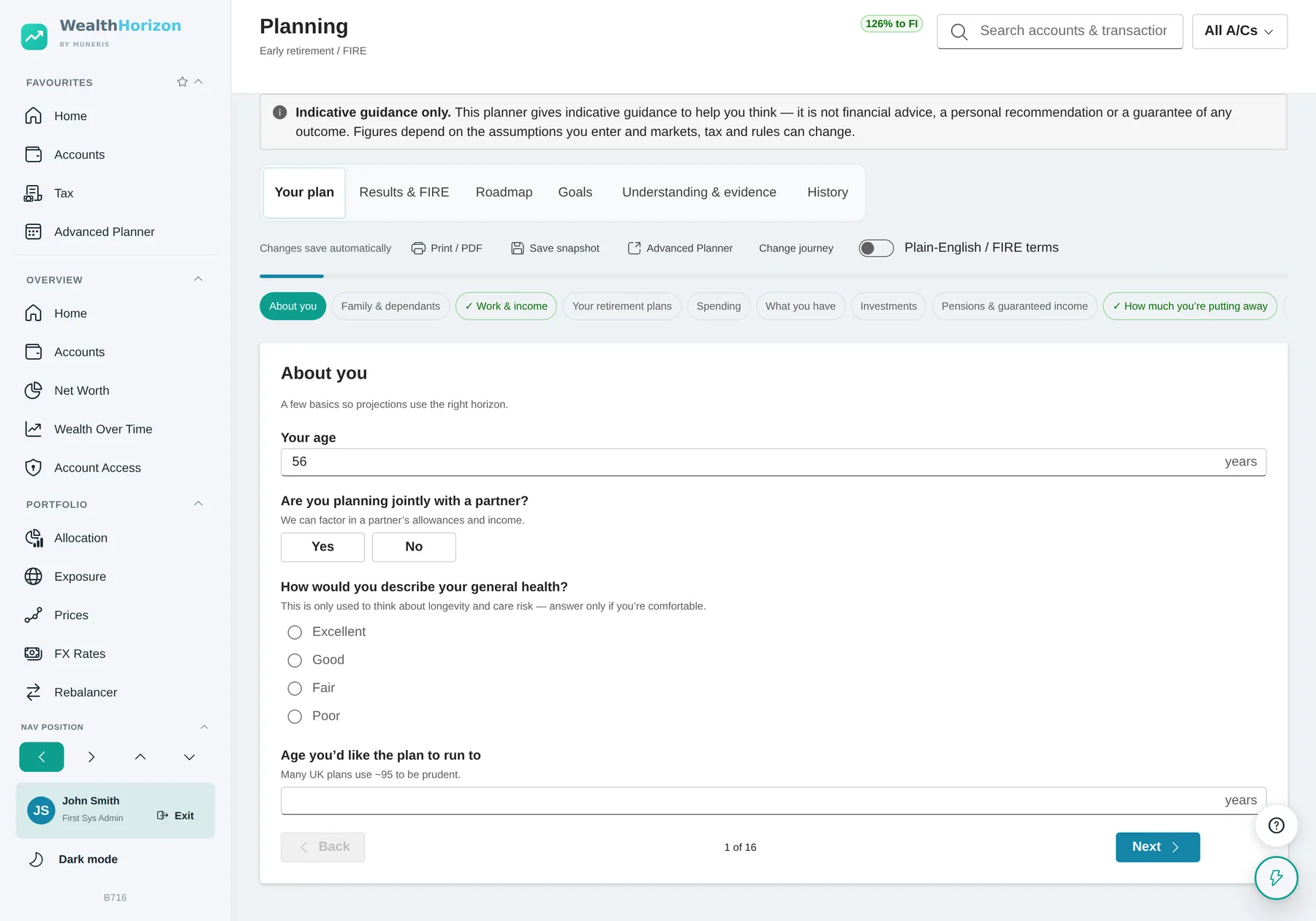
It asks only what applies to you
The questions are conditional. No children, and it never asks about school fees. Children over eighteen, and it asks about university support instead. Say you have no investments and the detailed investment questions do not appear at all.
It fills in what it already knows
Your cash, ISA, general investment account, pensions, crypto and property figures come from the accounts you already keep, and so do your state and defined-benefit pensions, your salary, your contributions and your age. You check and adjust them instead of digging out statements. They also stay right, because they came from your accounts.
The health and burnout questions are optional
How long you live and whether you need care make a big difference to a plan, so it asks. Answer only if you want to. If you share your plan with an adviser they can see these answers, and the page tells you that before you answer, not after.
The advanced planner
You set all the assumptions
The same calculations, with nothing decided for you. Build as many plans as you like, name them, save them as files and compare them.
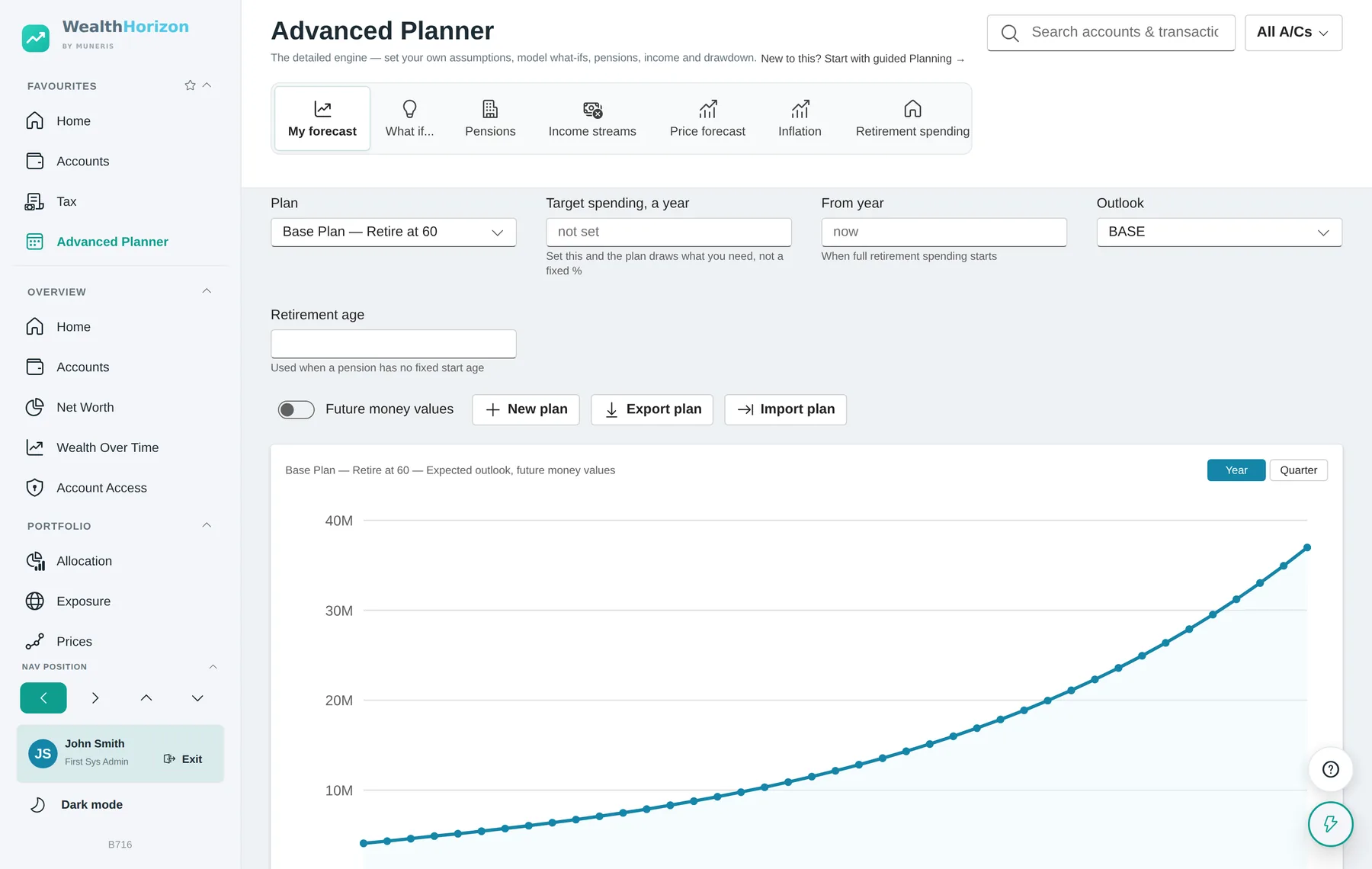
Tell it what you plan to spend. With no target it just takes a fixed percentage of the pot each year. That shows you growth, but it can never tell you when the money runs out. Put in a target spend and it works out how much of that your guaranteed income covers — state pension, defined benefit, earnings — then draws the rest from the pot, with enough extra to cover the tax. It tells you the first year you fall short, when the pension runs out, when everything you can reach runs out, and what is left at the end.
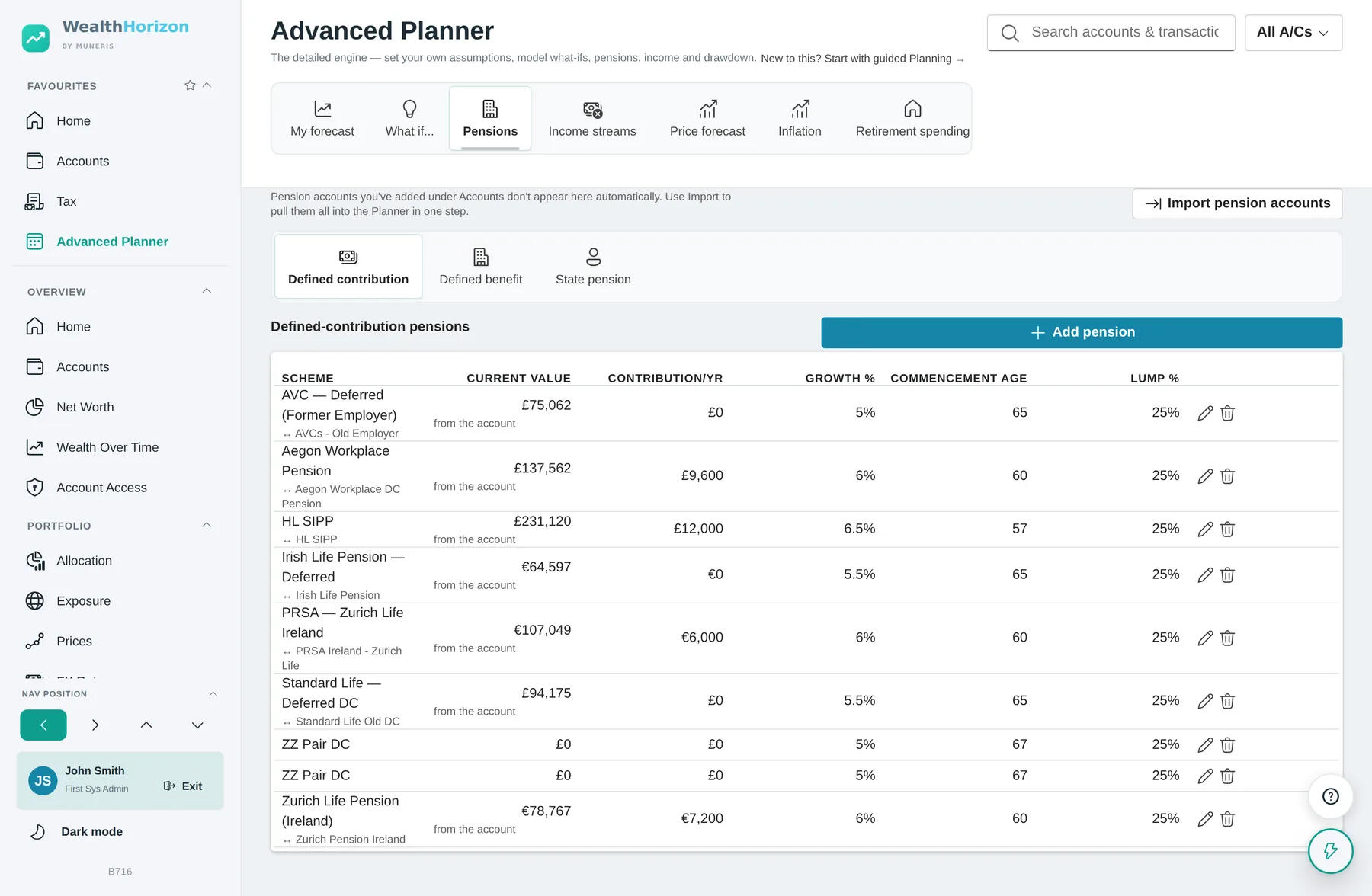
How you take a pension changes the tax, and nothing else. You choose per pension. Tax-free cash, then drawdown takes the quarter in one go when you retire, then taxes everything after that. A series of lump sums leaves the pot where it is and makes a quarter of each withdrawal tax free instead, until you reach the tax-free cash ceiling. Either way you use up the same ceiling.
Once you take taxed money out, you can put less back in. Taking the taxed part of a pension caps what you can pay into any pension after that. In the UK the cap is £10,000 a year. The plan starts applying it the year after your first taxed withdrawal, scales every pot’s contributions down to fit, and tells you what it could not pay in over the life of the plan. Taking tax-free cash on its own does not trigger it, and neither does a defined-benefit pension starting to pay. Jersey and Ireland set no cap, so there you are told when the trigger happens but nothing is capped.
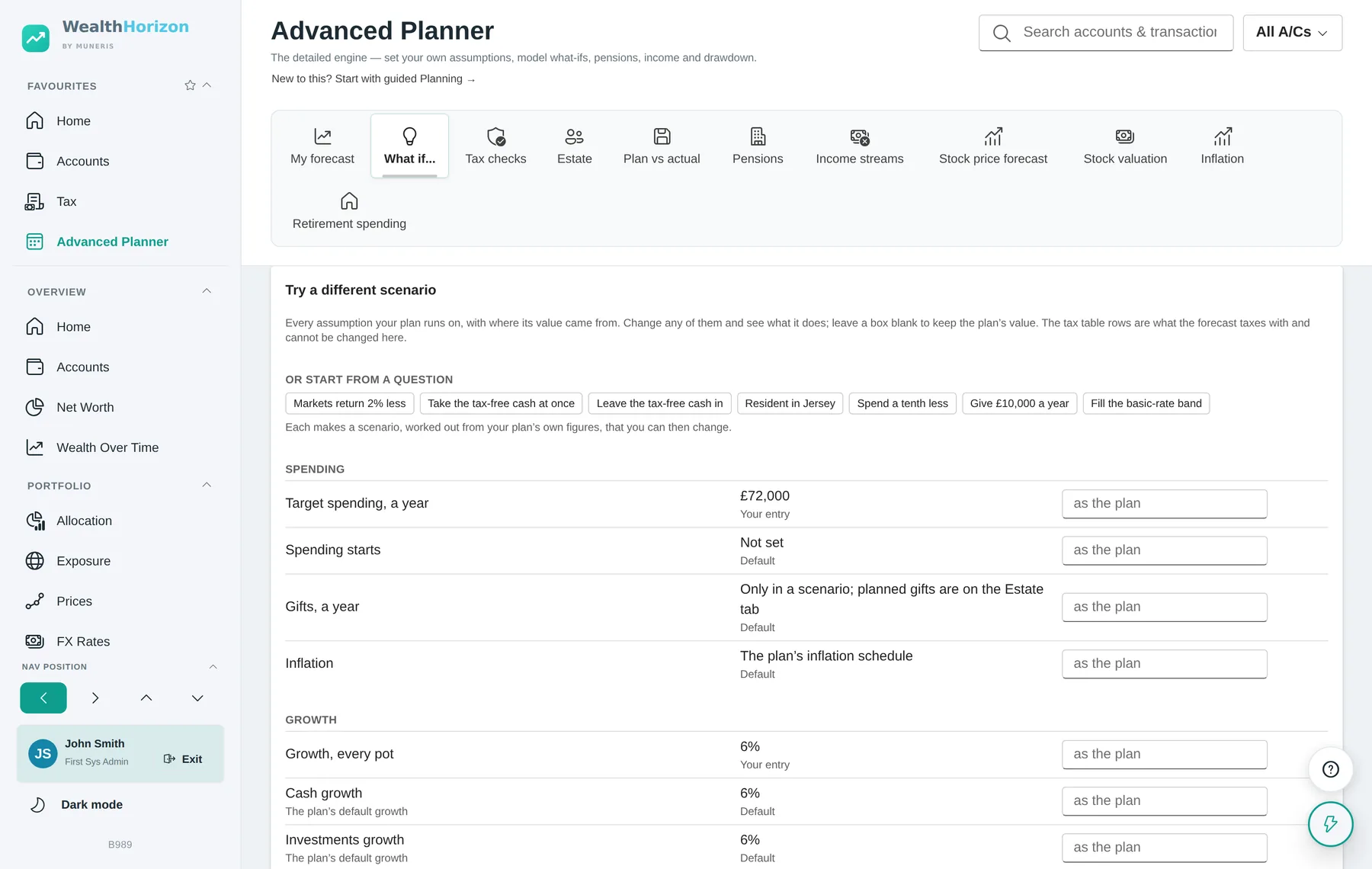
What if…, in full
Every assumption, listed
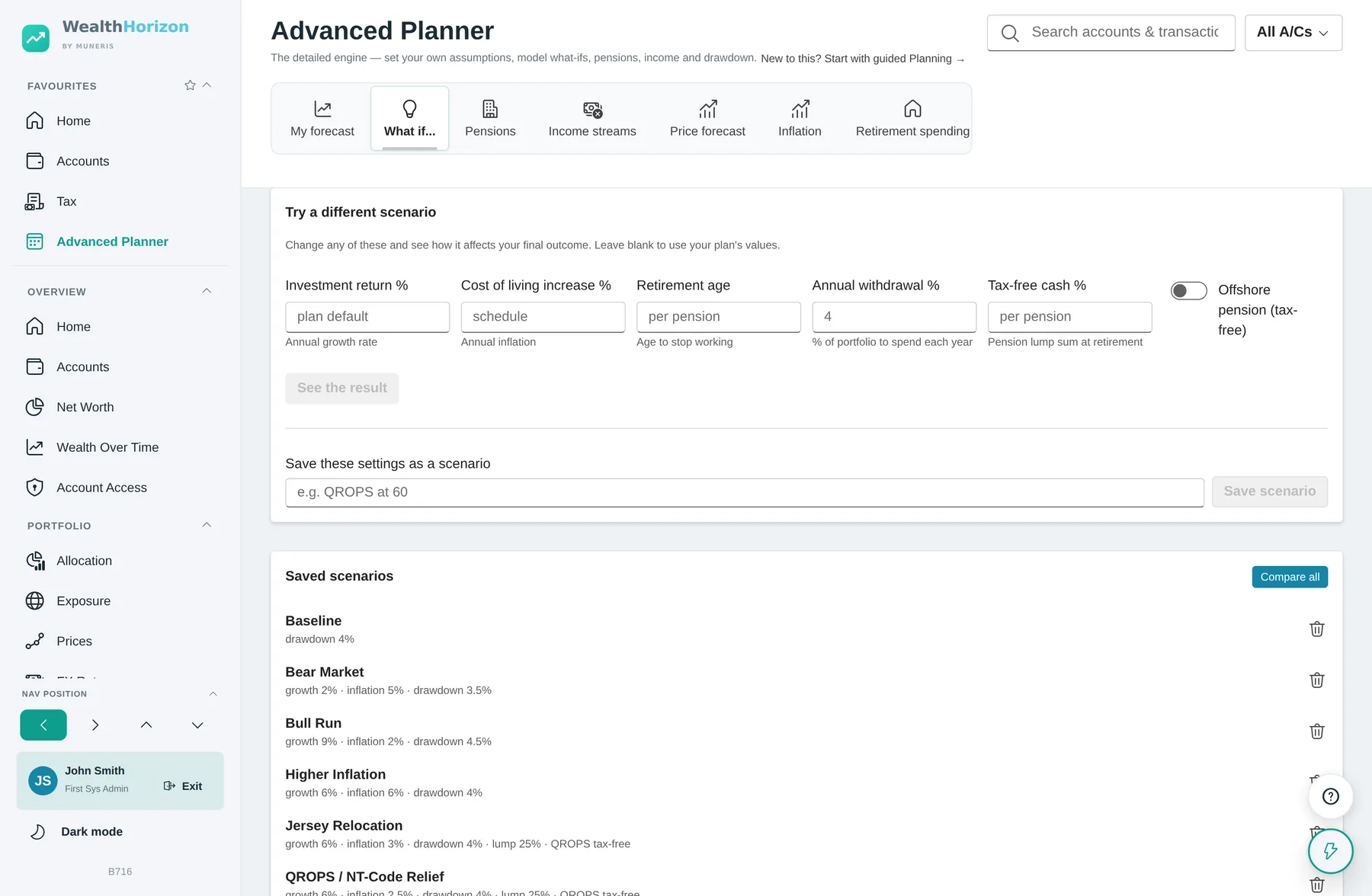
The tab lists every assumption the plan makes, with where each value came from: an account, a tax table, something you typed, or a default nobody has touched. A scenario can override any of them.
Presets, one click
Ten questions worked out from your own figures rather than generic ones. Markets return 2% less. Retire two years later, or earlier. Take the tax-free cash at once, or leave it in. Spend a tenth less. Give £10,000 a year. Fill the basic-rate band. Move to Jersey, or back to the UK.
Compared properly
Put scenarios side by side and it reports the lifetime tax, the first year you fall short, the years cash drops below your minimum, and exactly which assumptions differ between them.
Monte Carlo runs on the same engine as the forecast. It used to run on a simpler model, so the middle of the range did not quite match the line you were shown. Now each trial runs the real engine with a return shock per year and per asset class, so the expected case is the forecast.
Plan against what actually happened
Freeze a forecast as a baseline and it keeps the date and the closing value of each pot. From then on the Plan vs actual tab reads your end-of-year snapshots and compares them with what the plan said, year by year and pot by pot. A plan you never check against the real figures quietly stops being about you.
There is a prompt each January to look at the plan again. It lists which tax tables it is using, which assumptions are still sitting at their defaults, whether the baseline is stale or missing, and whether you have set a target to spend. It asks once a year and goes away when you dismiss it.
Getting it out, and getting it back in
- A plan report — a workbook with a sheet per section, or a page laid out to print.
- The whole plan as a file — export and import carry everything, including people, pensions and income streams. Import the file you exported and you get the same forecast back.
- A settings workbook — a row per setting to fill in at your own pace, then read back into the same plan.
Tax in the forecast
Taxed with the real bands, year by year
Most planning tools tax a projection at one flat rate. That is quick and it is wrong, because the rate you pay depends on how much you draw, and how much you draw depends on the tax. The planner works the tax out properly for each year.
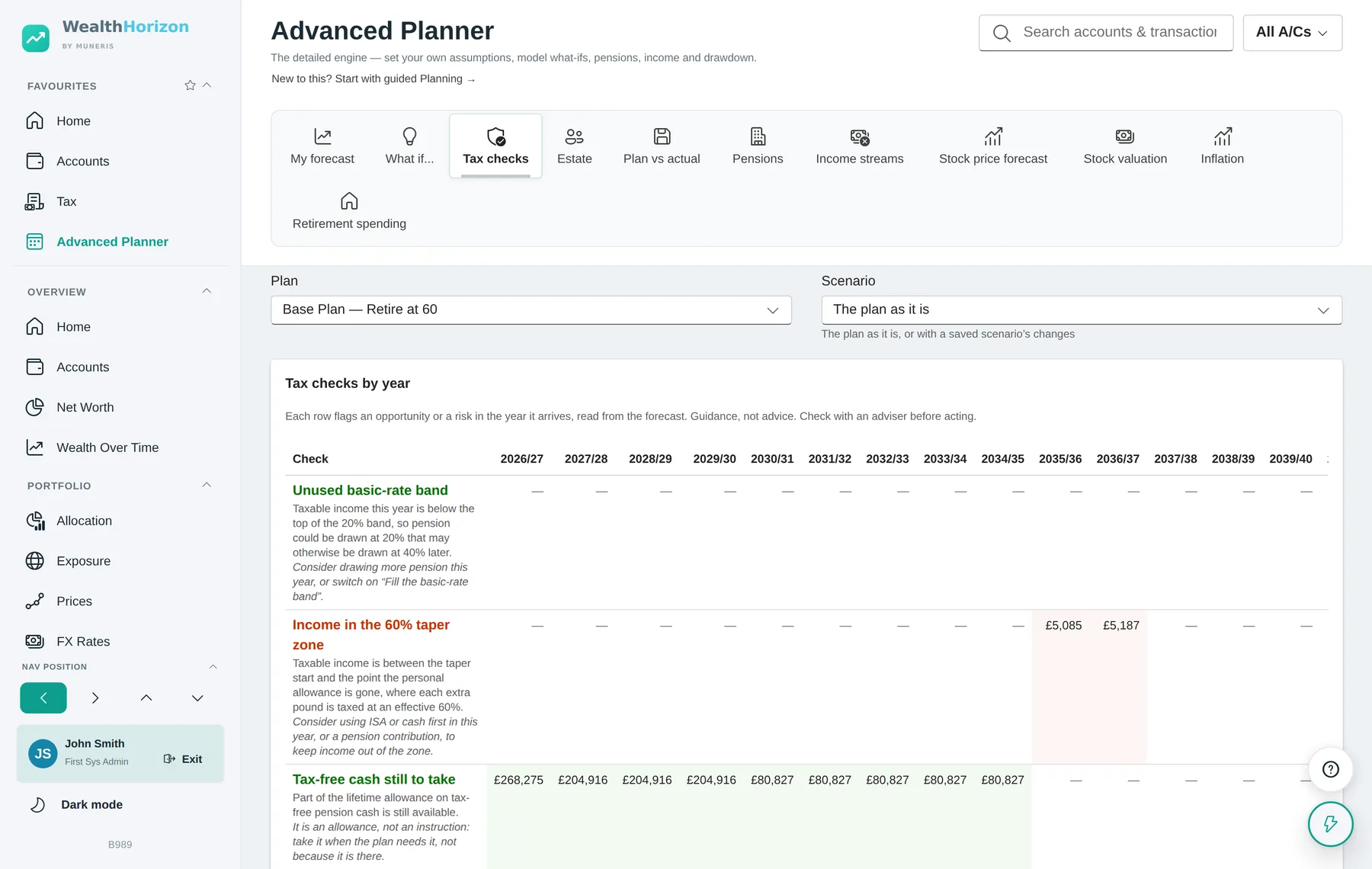
Income tax, by band
Every year of the forecast is taxed with the real bands and allowances for that year and that country, using the same arithmetic the Tax page runs. When it needs to draw money to leave you with a certain amount after tax, it works backwards to the gross figure rather than estimating a rate. A flat-rate mode is still there if you want a rough answer in a hurry.
Future tax years
Thresholds hold their published value until the year the freeze ends, then rise with your inflation figure. Each row of the forecast carries its tax year as well as the calendar year, so 2027/28 is labelled as such. The first year is a part year, running from today.
Fill the basic-rate band
You can tell it to draw pension up to the top of the basic-rate band each year, even where you do not need the money, with anything spare going to cash. Whether that is worth doing depends on your position, and the planner will not decide it for you.
Capital gains, dividends and couples
Selling from a general investment account has a gain in it, so the forecast charges capital gains tax on the gain share, worked out from that account’s own cost base where the purchase records exist. It applies the annual exempt amount and the rates for your band. Dividend tax is charged by band on investments outside an ISA, and left alone inside one.
A couple is two taxpayers. Every pension, income stream and pot names whose it is. Each person gets their own allowance, their own bands, their own capital gains exemption and their own dividend allowance, and a withdrawal is grossed up at the owner’s rate. Where a country has no capital gains tax, as Jersey has none, none is charged.
Tax checks. A tab that reads the forecast and flags, for every year: unused basic-rate band, income in the 60% taper zone, tax-free cash still to take, spare ISA allowance that cash could fill, a capital gains exemption going unused, cash below the minimum you set, and pension being drawn at the higher rate. The application labels the whole tab “Guidance, not advice. Check with an adviser before acting.”
Estate and inheritance tax
What would be owed, for every year of the plan
An estate valuation tells you what would be owed today. That is the easy year. The planner works the estate and the inheritance tax out for every year of the forecast, on the rules as they will stand in that year.
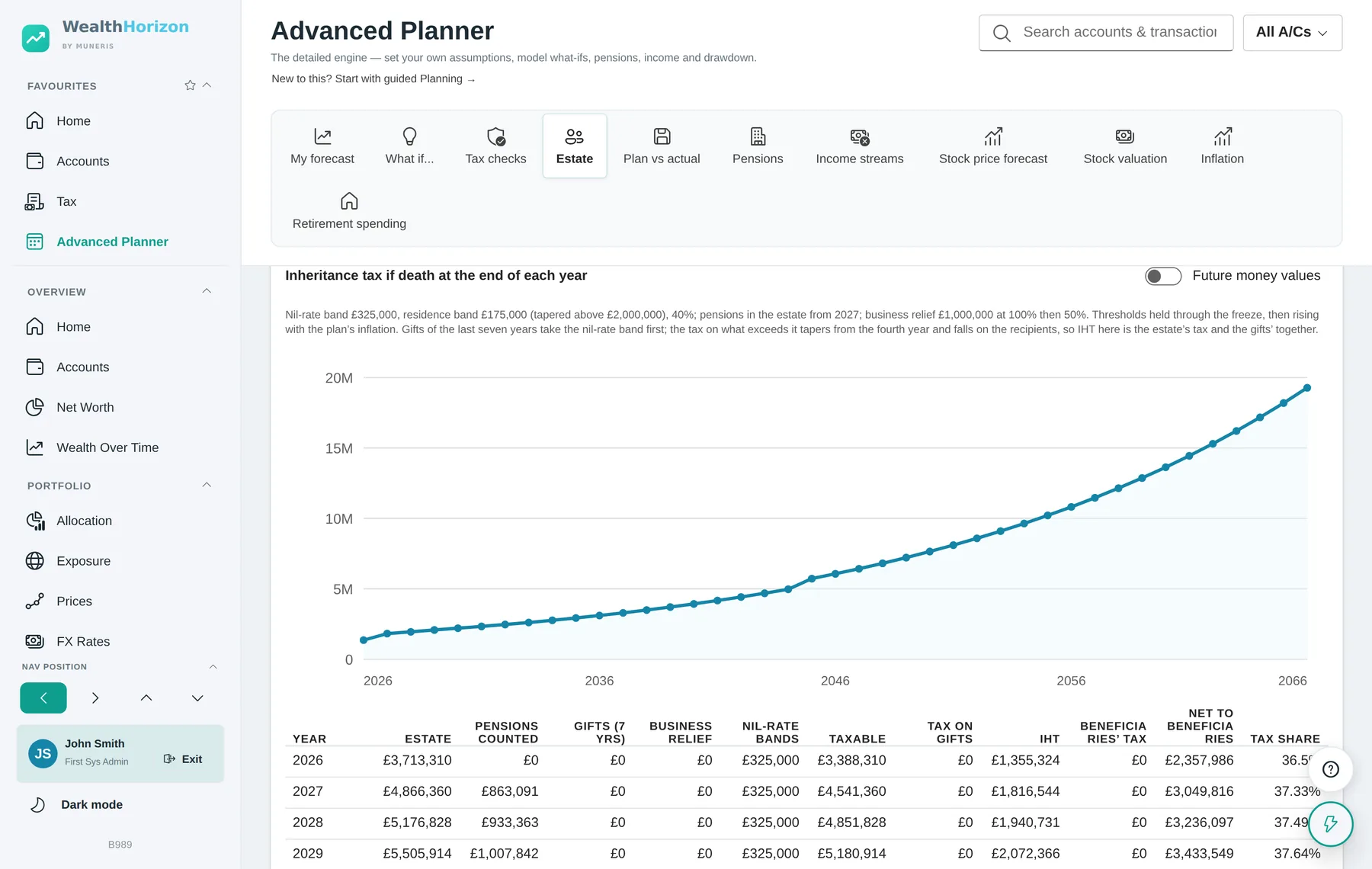
What goes into the estate
Cash, ISAs and general investments at the end of the year, plus the home less the mortgage, plus any private company holdings, plus unused pensions from the year the rule brings them in. In the UK that is April 2027, and it is held as a dated rule rather than written into the code, so it moves when the rule moves.
What comes off
Business relief on holdings you have flagged as eligible. The nil-rate band, doubled where a late spouse’s band transfers. The residence band, but only where the home passes to direct descendants, capped at what the home is worth, and tapered away by £1 for every £2 the estate is over the threshold.
Where there is no inheritance tax
Jersey has none. The planner still shows the estate year by year and says plainly that nothing is taxed, and why, rather than leaving a blank you have to interpret.
Gifts, and the seven years
Put a gift plan in the forecast and it does two things. The money leaves your spending in the year you give it, and it stays in the estate for seven years. Gifts take the nil-rate band before the estate does, oldest first. Tax on anything above the band is tapered by how long ago the gift was: all of it within three years, then 80%, 60%, 40% and 20% by the seventh. The annual exemption is applied first.
That tax falls on the people who received the gift, not on the estate, so it is reported beside the estate’s bill rather than taken off what passes.
Two different taxes, kept apart
A pension inherited after a death at 75 or over carries income tax for whoever receives it, on top of any inheritance tax. That is a different tax on different people, so it is reported next to the inheritance tax rather than added into it.
A private company is its own pot
An unquoted holding cannot be sold on the day you need the money, so the forecast never draws on it. It only grows, at its own rate, and it counts in the estate.
Inheritance tax is where you should be most careful. These figures are worked out from the rates and allowances on file, on the assumption that the rules in the forecast year are the rules we have recorded. Gifts, trusts, business relief and anything crossing a border turn on facts the application cannot see. Nothing here is advice. Take proper advice before you act on it.
FIRE
What you need, and how you get through the gap
Pick a FIRE journey and the planner adds the measures people in FIRE actually use. It also adds the one most tools leave out: how you live between stopping work and being allowed to touch a pension.
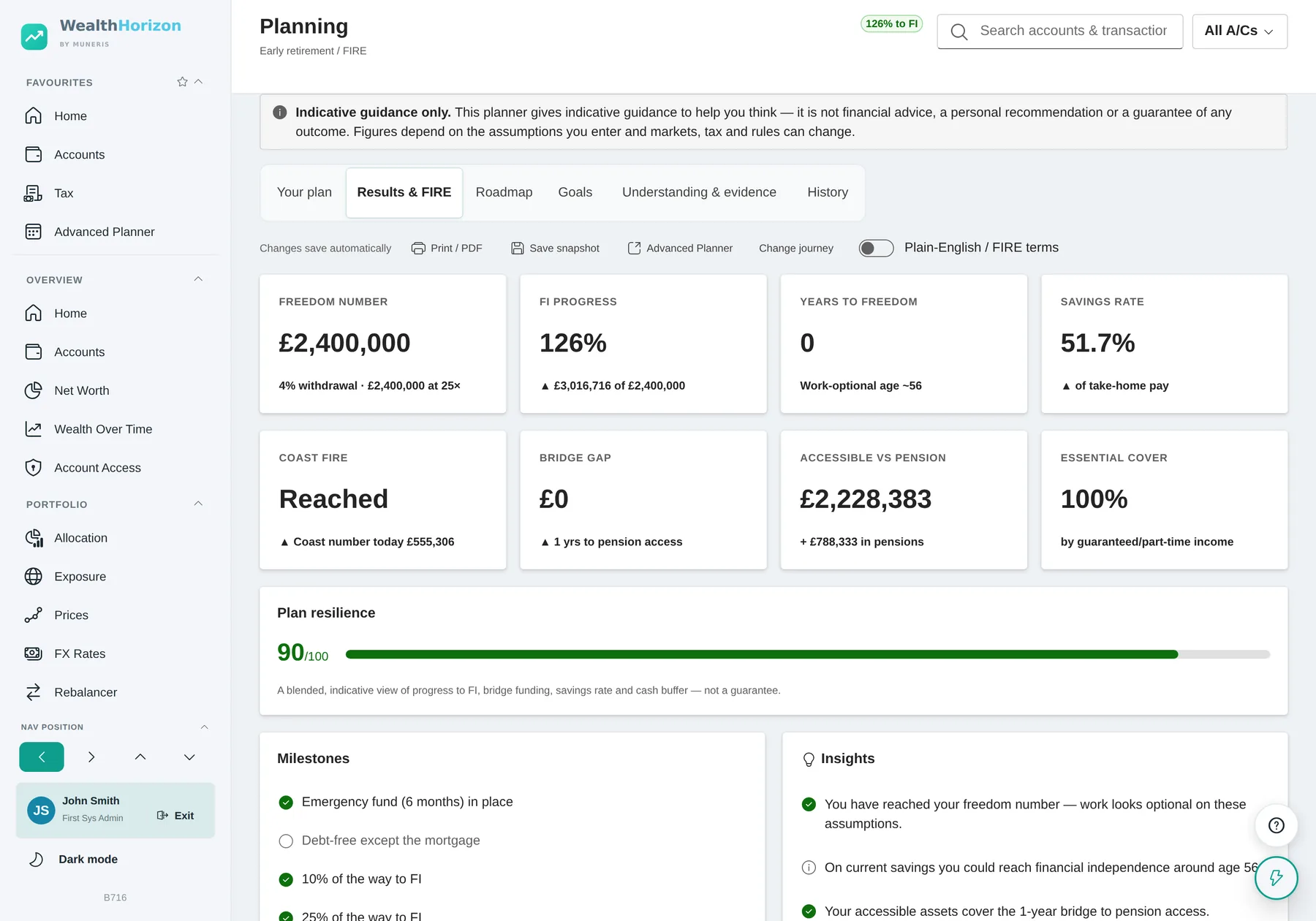
- Freedom numberThe capital that makes work optional, at the withdrawal rate you chose rather than a rate the tool picked. Shown as both the figure and the multiple of spending it represents.
- FI progressWhat you have against what you need, as a percentage. Past 100% it keeps counting, so you can see how far past you are.
- Years to freedomAnd the work-optional age that follows from it, on your current savings rate.
- Savings rateOf take-home pay. It counts your pension contributions and your employer’s as well as what reaches a savings account. Leaving the pension out makes this number look better than it is.
- Coast FIREWhether what you already hold will grow into the freedom number without another contribution, and the coast number as it stands today.
- Bridge gapThe one most tools skip. Stop work at 52 and you cannot touch a pension until 57 or 58. This tells you how many years that is and how much money it needs, counting only what you can actually reach.
- Essential coverHow much of your essential spending your guaranteed income covers on its own. That is a different question from whether the pot is big enough, and usually an easier one to answer.
- Lifestyle ladderLean, Base and Fat budgets side by side, so you can see how the number changes with how you want to live.
- Plan resilienceA rough score across progress, bridge funding, savings rate and cash buffer. Treat it as a nudge to go and look at something, not a target to push up.
- MilestonesEmergency fund in place, debt-free except the mortgage, a tenth of the way, a quarter. A twenty-year job is easier with steps in it.
There is a plain-English / adviser-terms switch at the top of the page. It labels the same figures either the way the FIRE community says them or the way a suitability report has to. The figures themselves do not change.
Goals, and tracking against them
What you are saving for, and whether you will get there
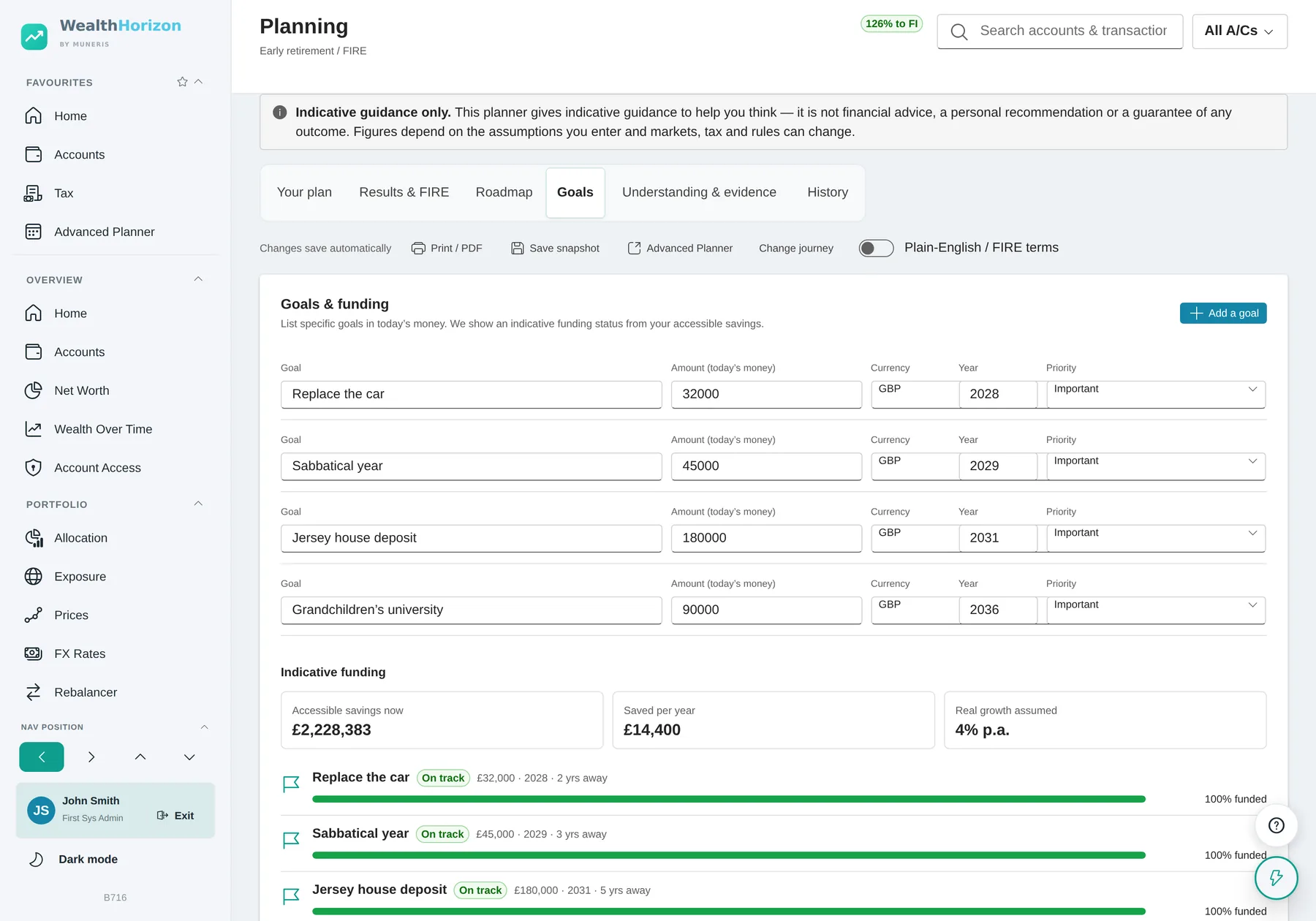
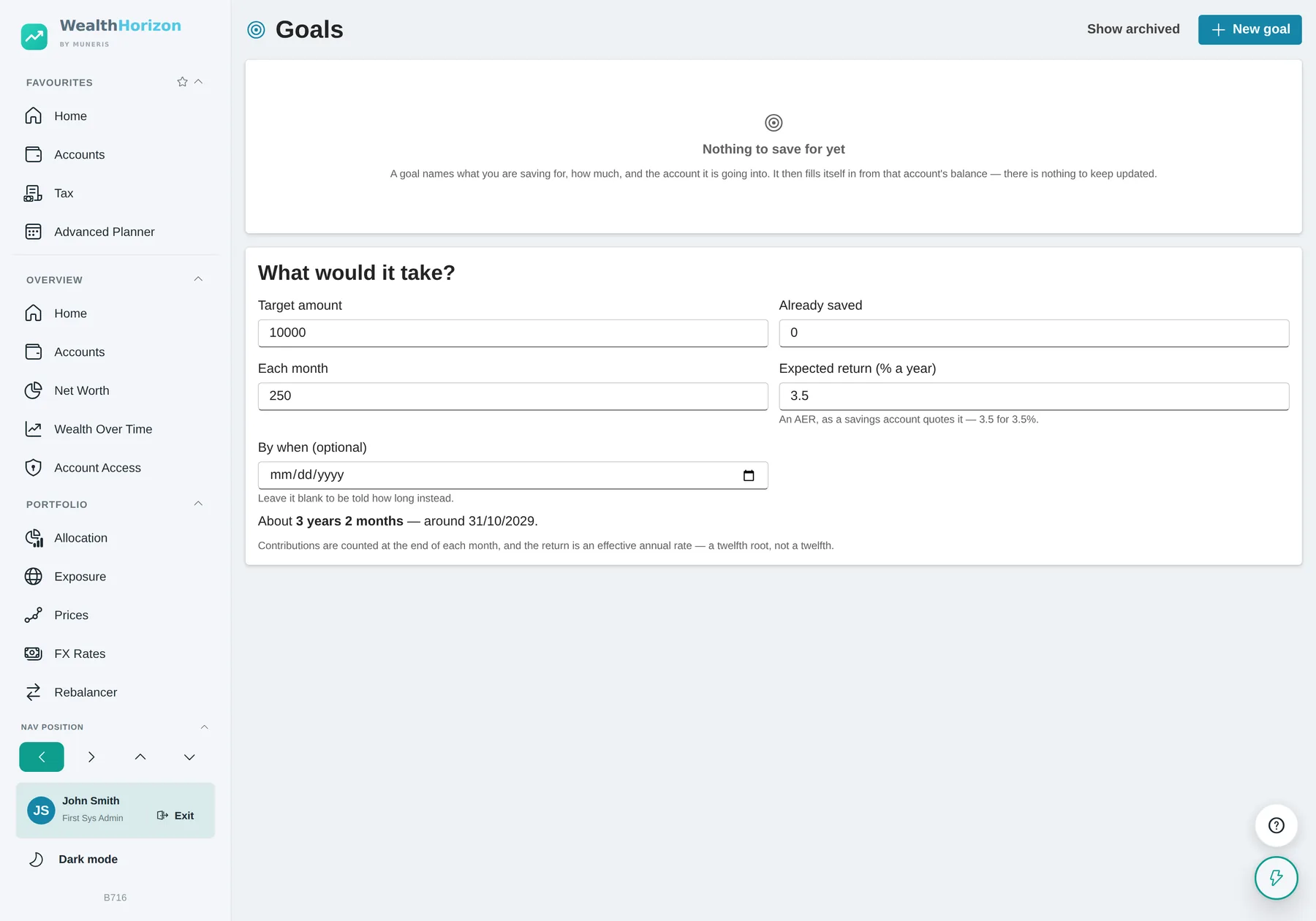
Writing a goal down is easy. Knowing whether you will reach it is not. These are funded from the money you actually have, in date order, and the answer changes when your accounts change.
In today’s money, on purpose
You put in what it costs today. The tool adds inflation up to the target year. Doing that in your head is where these estimates usually go wrong.
Priority decides what gives
Must-have, important, nice-to-have. When there is not enough to go round, a must-have that looks short gets flagged rather than quietly pushed to the back, and the nice-to-haves are what it offers to trim.
It says what it ignores
It does not model tax, currency conversion or borrowing. It is there to help you decide what comes first, and the page says so.
Plan against actual
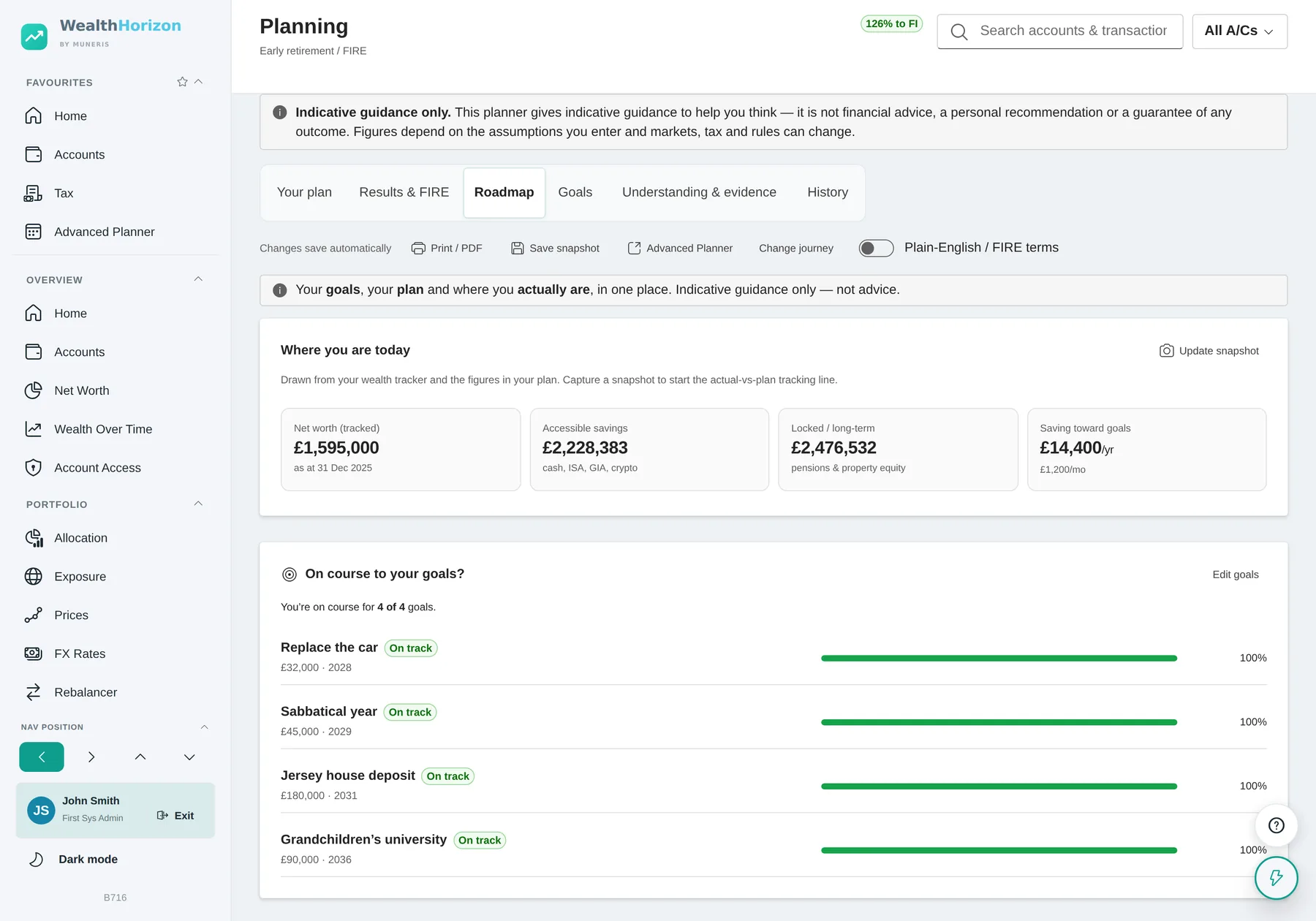
Capture a snapshot and the roadmap starts a second line: where the plan said you would be by now, against where you actually are. That is how you find out early that a plan has drifted.
Four ways to close a gap
If a goal is short you get numbers rather than encouragement. Save this much more a month. Delay it by this long. Trim it to what you can afford. Or move the must-haves to the front.
Accessible or locked
Every figure separates what you can reach from what you cannot. A deposit you need in three years cannot come out of a pension, so a total that mixes the two is no use to you.
What a projection is
None of this is financial advice
Everything here is a projection based on what you entered. Markets move and tax rules change. The further out the line goes, the less it means. The application says so on the screens themselves, not in small print at the bottom: every tax check carries the line “Guidance, not advice. Check with an adviser before acting.”, and the planner carries a banner saying the same.
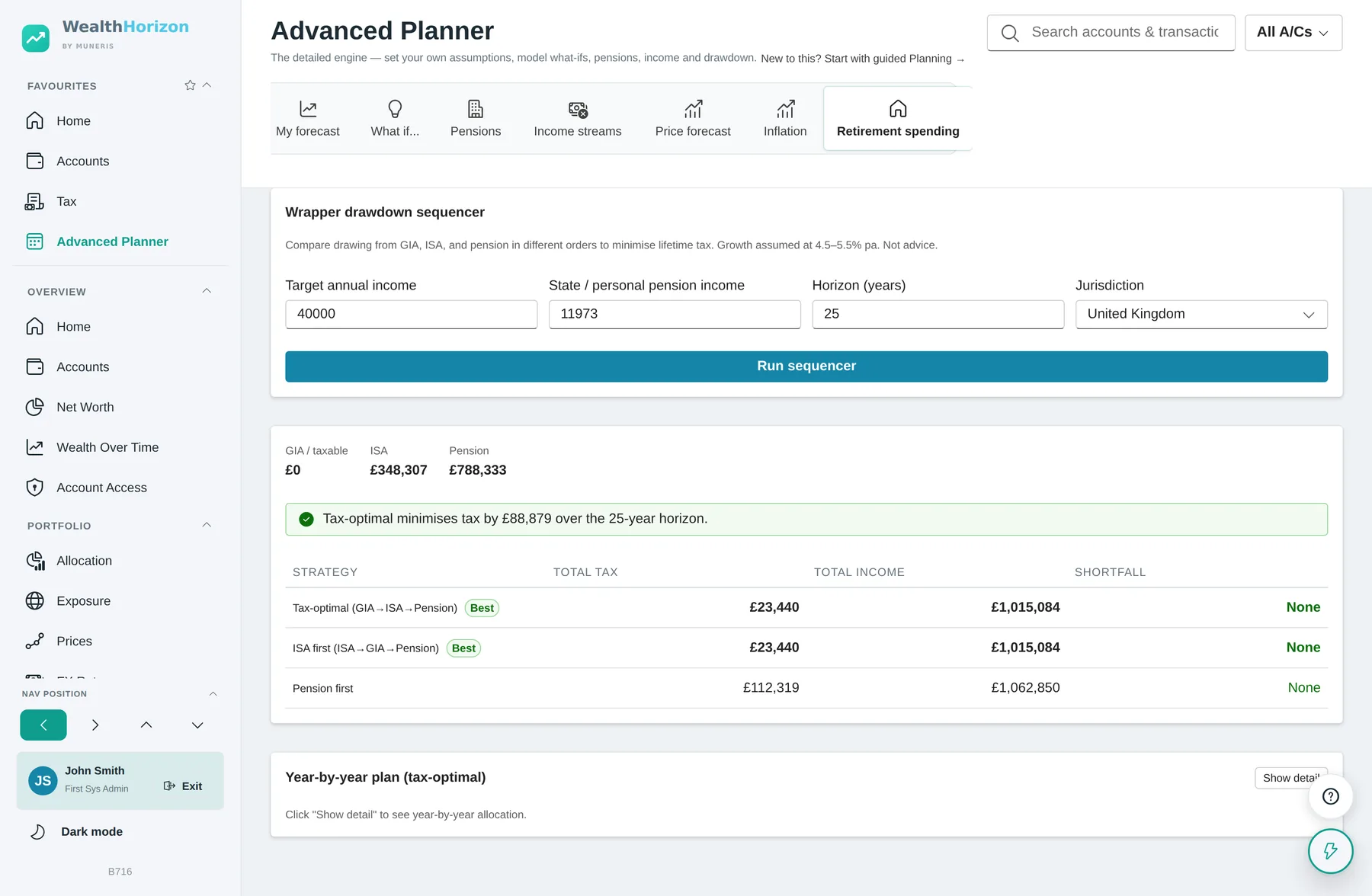
Some answers come down to judgement rather than arithmetic. The judgement is yours, and the tool shows its working. Take the order you spend your pots in. The usual order is cash, then investments, then ISAs, then pensions. But if unused pension money would be caught by inheritance tax and the rest would not, spending the pension first can work out better. WealthHorizon will model either and tell you what each costs. It will not tell you which to pick. If your position crosses a border, get advice.
The Monte Carlo simulation is there for the same reason. One line looks more precise than it really is. A range of outcomes is closer to the truth.
The tax and inheritance tax figures deserve saying again. They are worked out from published rates and allowances, on the assumption that the rules recorded for a future year are the rules that will apply. Your own position may turn on facts the application cannot see: how a trust is written, whether a holding really qualifies for business relief, where you are resident for tax, what a scheme’s own rules say. We are not financial advisers, this is not advice, and you should not act on any of it without talking to someone who is qualified and who knows your circumstances.