
The Advisory edition
Client management, supervision and Consumer Duty evidence in one system
The Advisory edition runs a firm’s whole client book, with the compliance tools built in rather than bolted on. Advisers get their clients. Compliance gets management information across the firm. Senior managers see outcomes rolled up through the reporting line. All of it comes from one set of records and one audit trail.
One data set, three audiences
The client’s own view, the adviser’s workflow and the compliance reporting all read the same records. Compliance reports on the data advisers are working in, so there is nothing to reconcile and no second compliance database to keep up to date.
Role determines visibility
Access comes from the relationships held in the platform. An adviser sees only the clients they work with. A compliance manager sees the firm. A manager sees the part of the organisation that reports to them. Only compliance can open the audit log.
Evidence is a by-product
Board reports, supervisory packs and the vulnerable customer register are all built from work that has already been recorded. Nothing has to be pulled together after the fact for a board meeting or a request from the regulator.
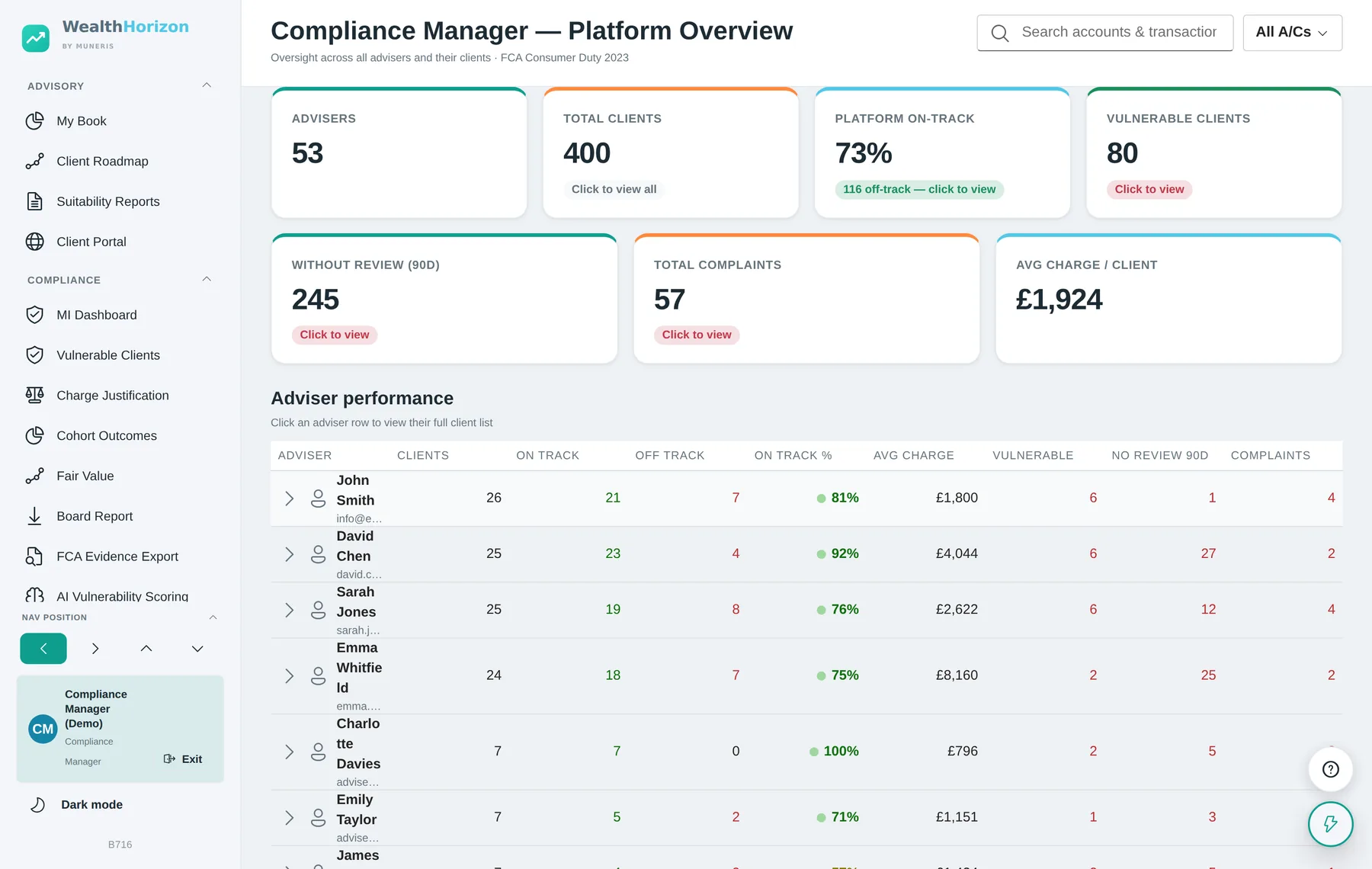
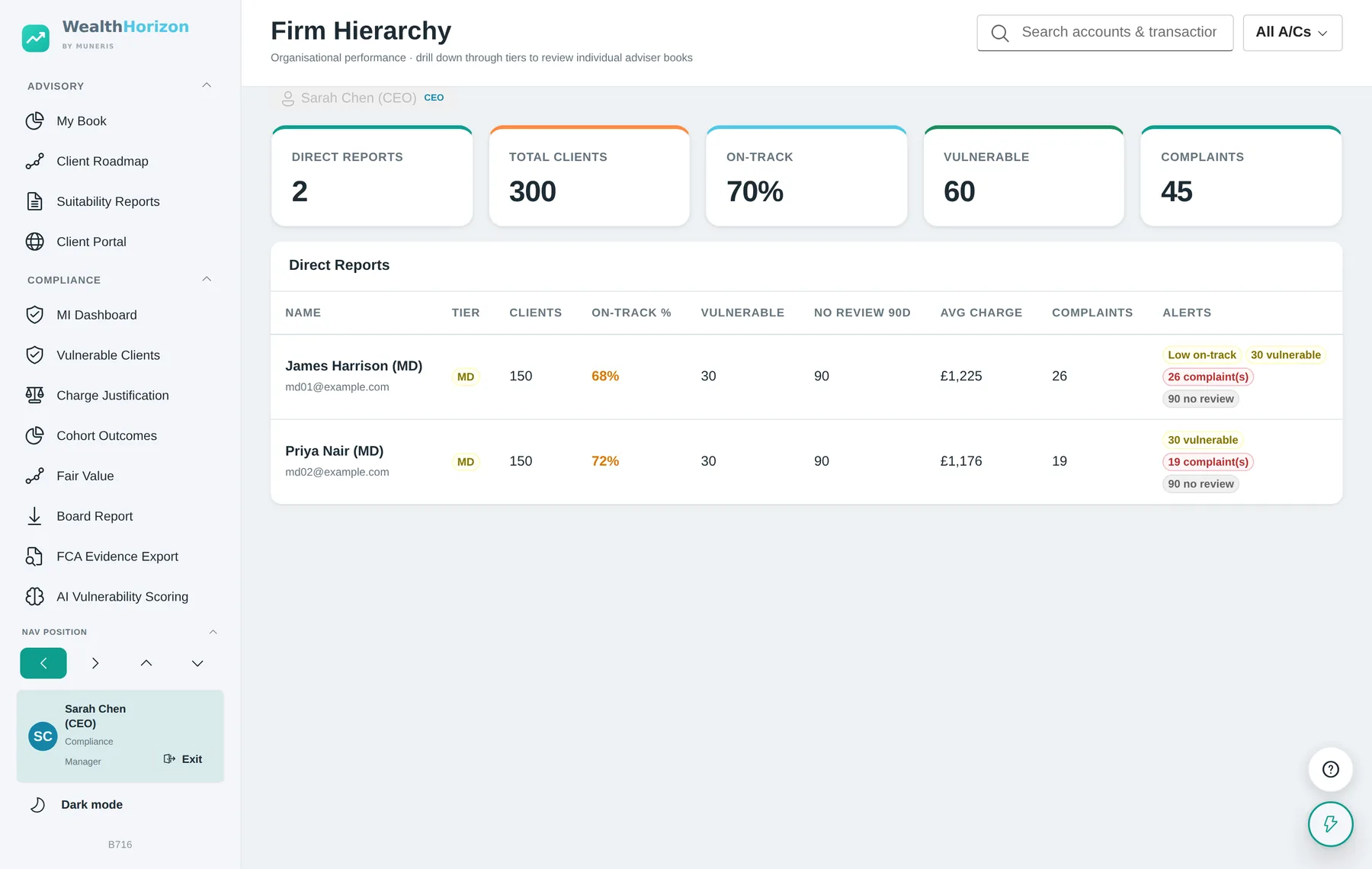
About the screenshots on this page. Every image is the running application, taken from a demonstration installation. The client names, figures, vulnerability flags and complaint counts are made up.
Regulatory coverage
FCA Consumer Duty — the four outcomes, module by module
The Consumer Duty asks a firm to deliver good outcomes, to check whether it is doing so, to act where it is not, and to be able to show all three to its board and to the regulator. Each module below covers one of those obligations and leaves a record behind.
| Outcome | Module | What it produces |
|---|---|---|
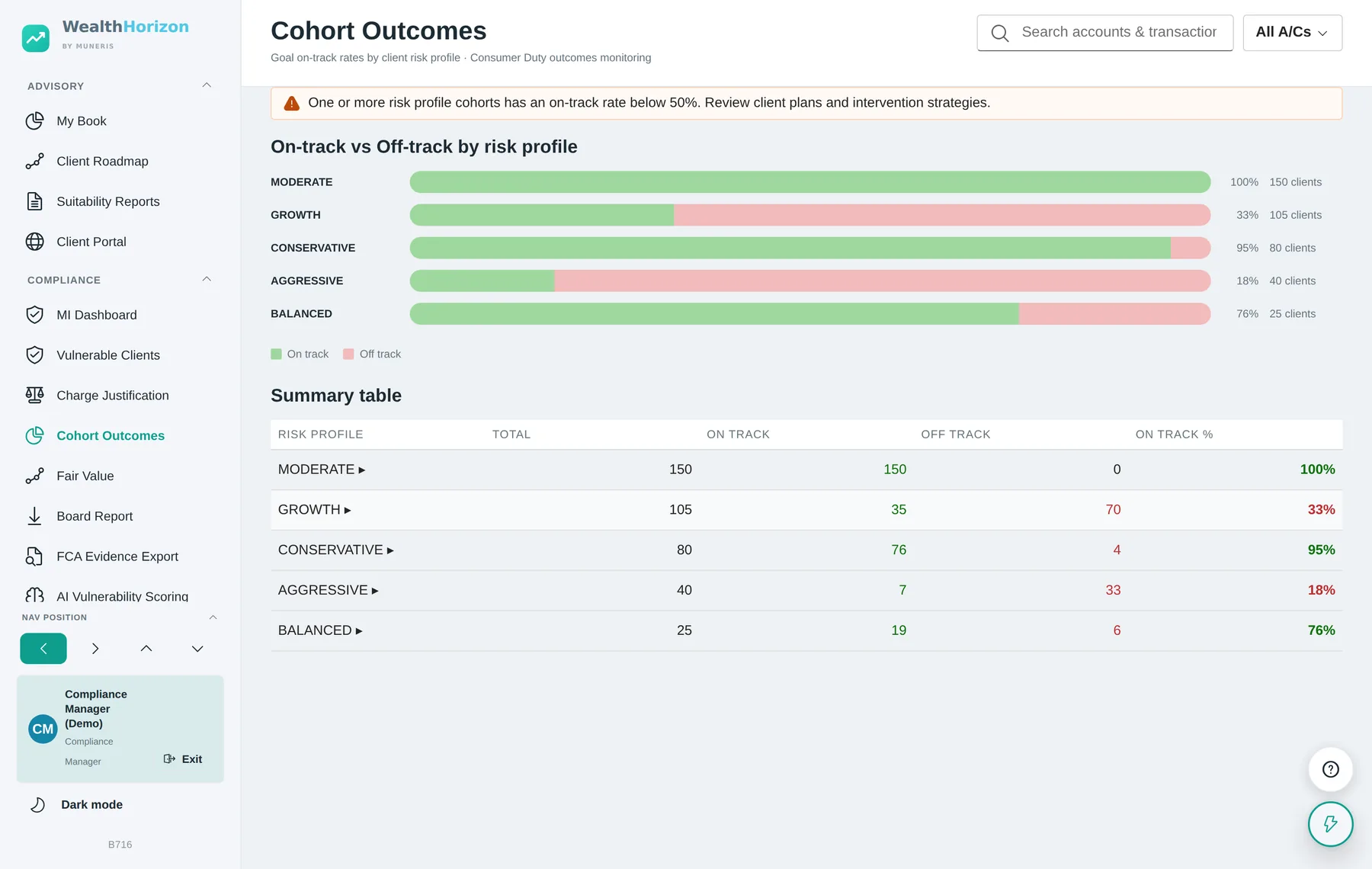
| Products and services | Cohort Outcomes | On-track and off-track rates by risk-profile cohort, with drill-down to the individual clients behind each figure and a warning where a cohort falls below a 50% on-track rate. |
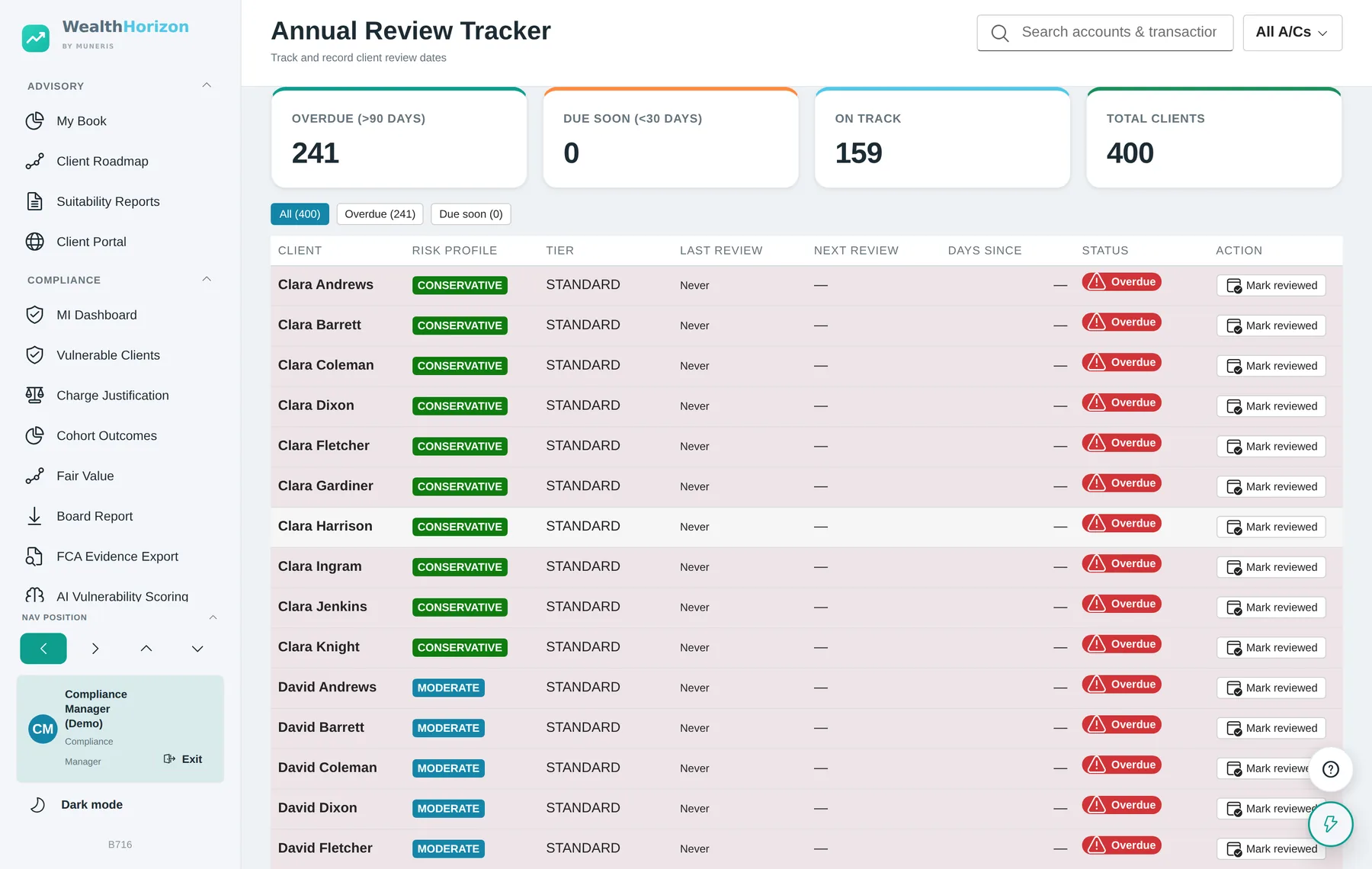
| Annual Review Tracker | Overdue, due-soon and on-track counts; a review recorded against the client with the next one scheduled at 6, 12, 18 or 24 months. | |
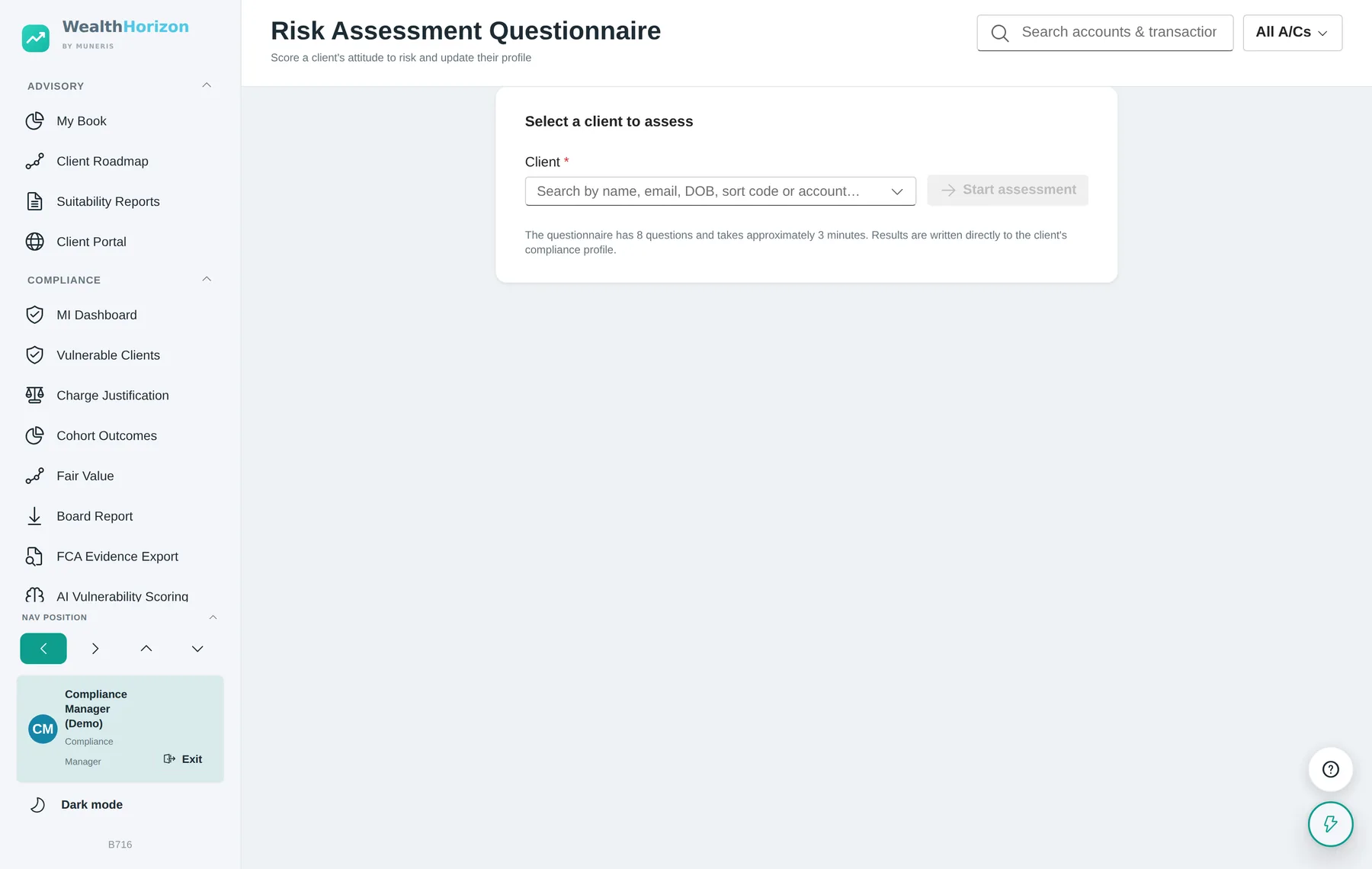
| Risk Assessment | An eight-question attitude-to-risk profile with a stated capacity for loss, written to the client’s compliance record and carried into suitability reporting. | |
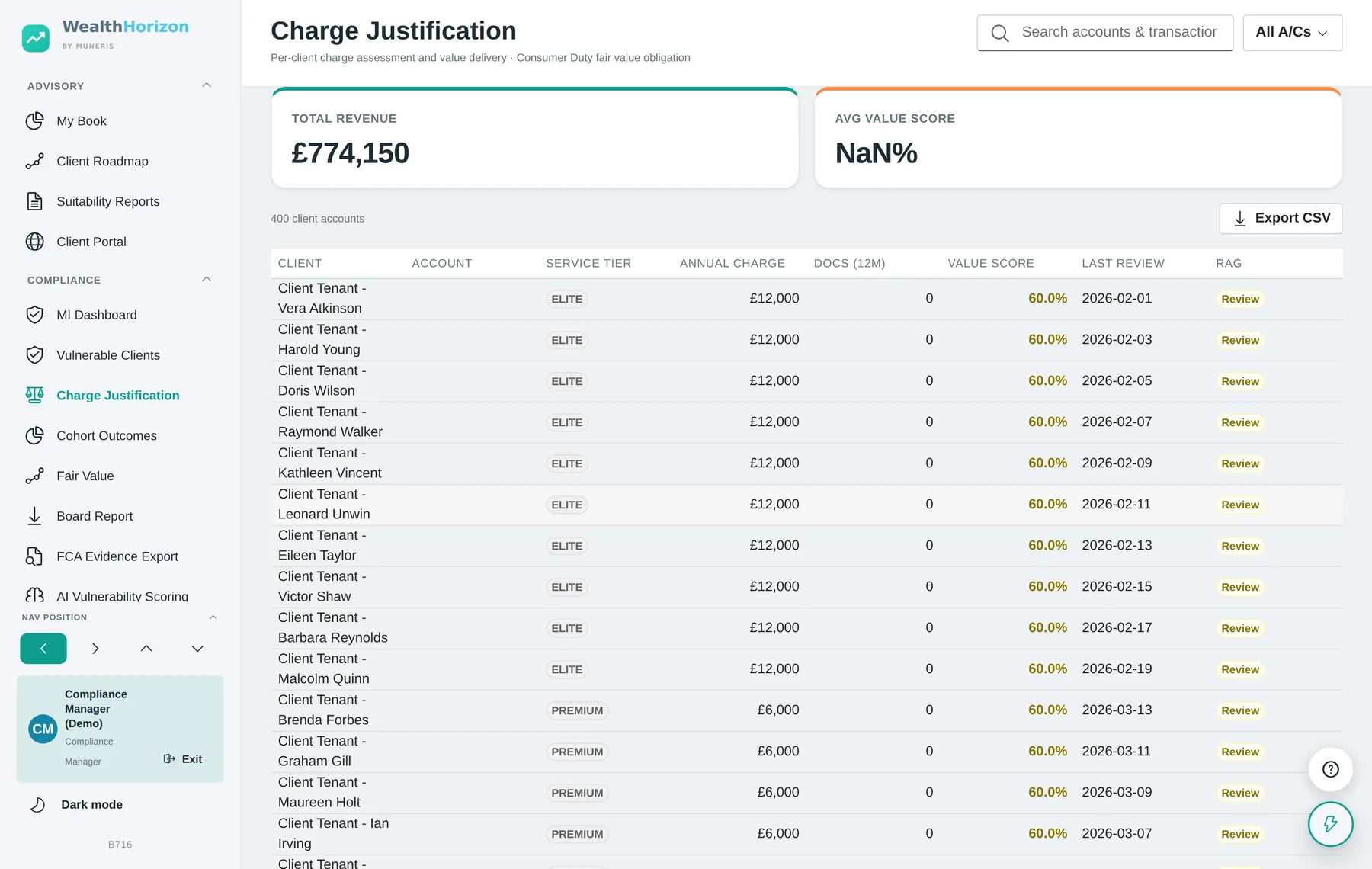
| Price and value | Charge Justification | Per-client service tier, annual charge, deliverables in the last twelve months, a computed value score and a red/amber/green status. Exportable to CSV. |
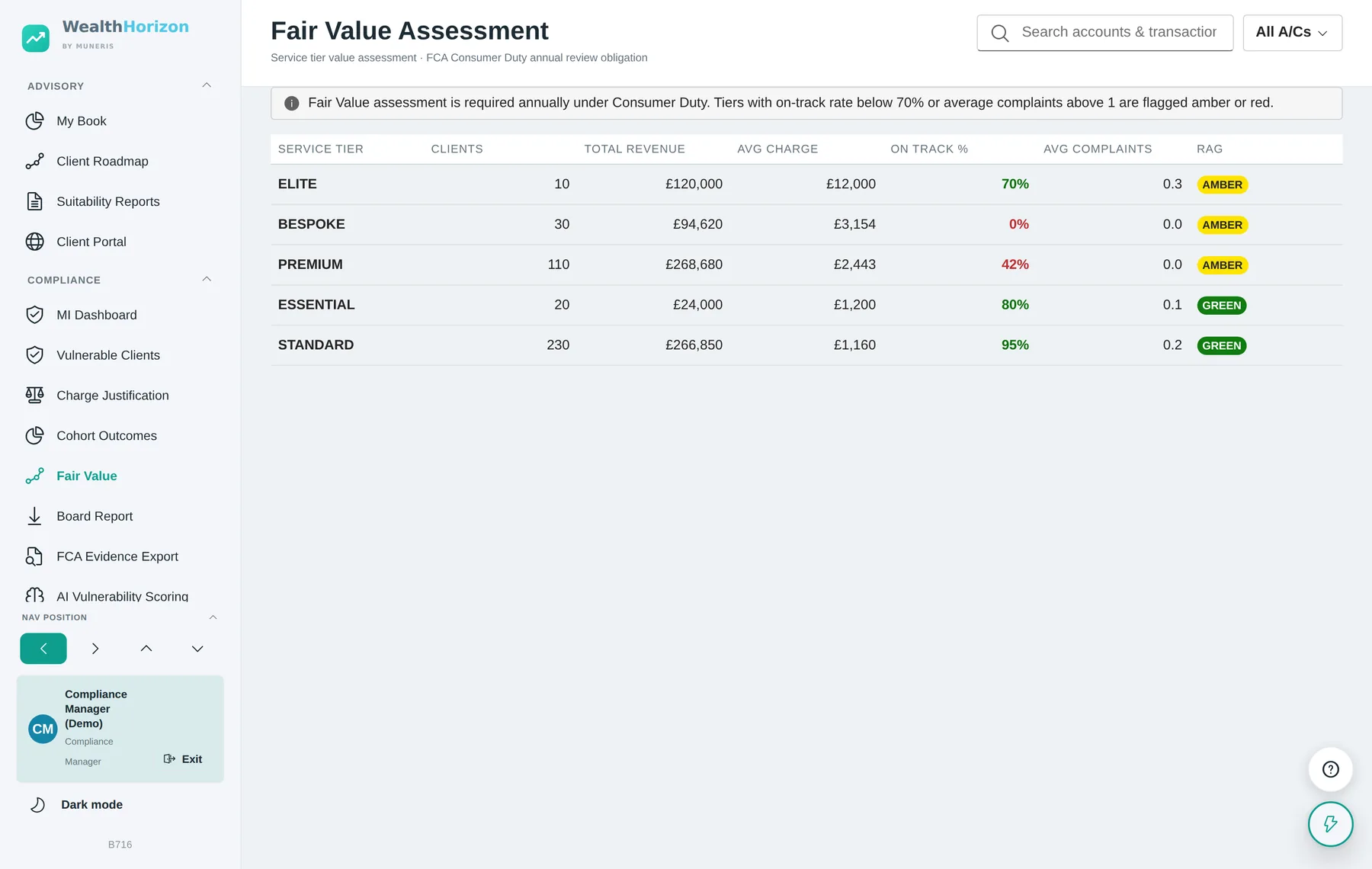
| Fair Value Assessment | The annual assessment by service tier: client count, revenue, average charge, on-track rate, average complaints and a RAG rating against stated thresholds. | |
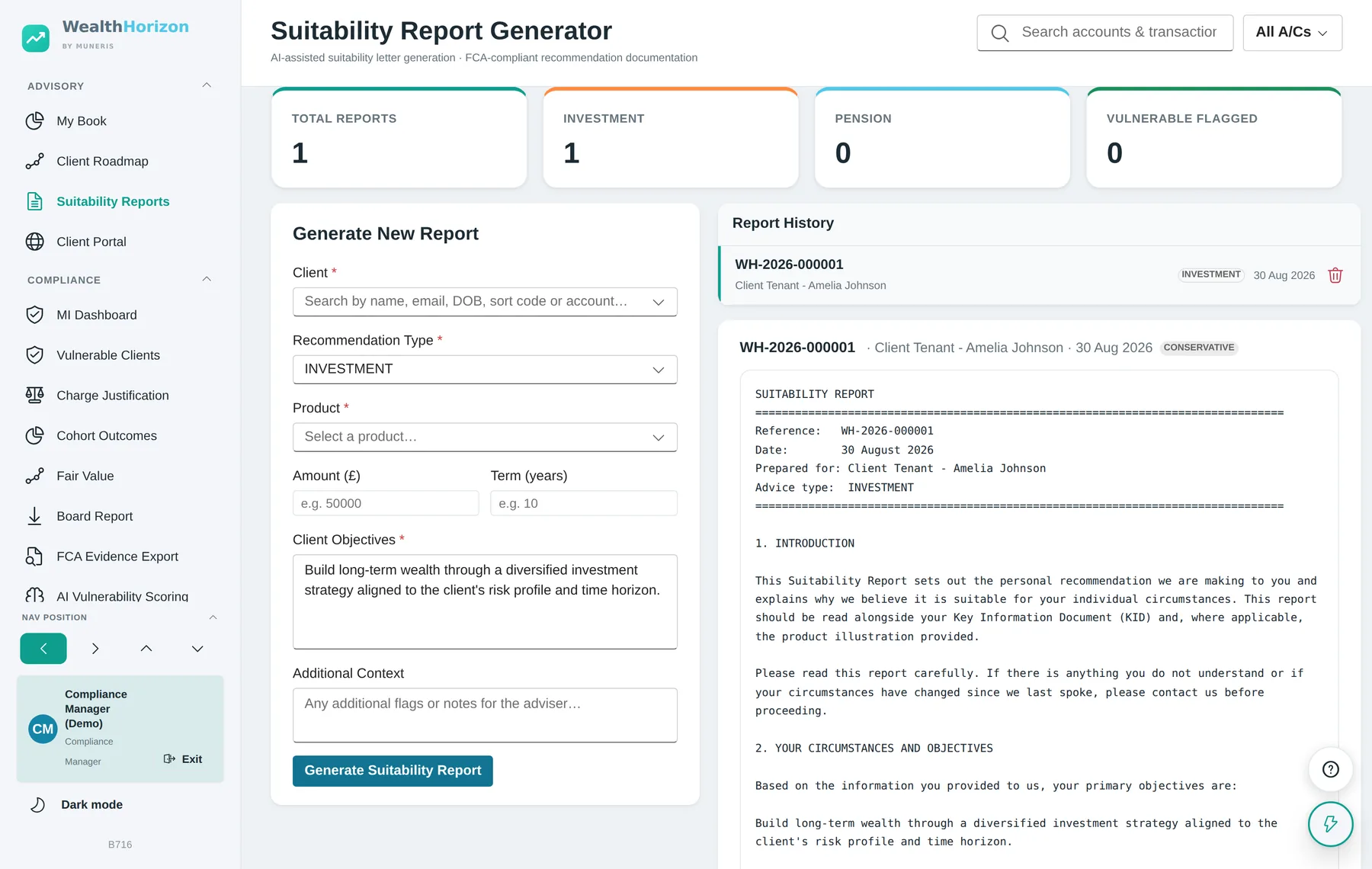
| Consumer understanding | Suitability Reports | A COBS 9.4 suitability letter with a unique reference, drawn from the client’s own circumstances, objectives, risk profile and charges, including risk warnings and alternatives considered. |
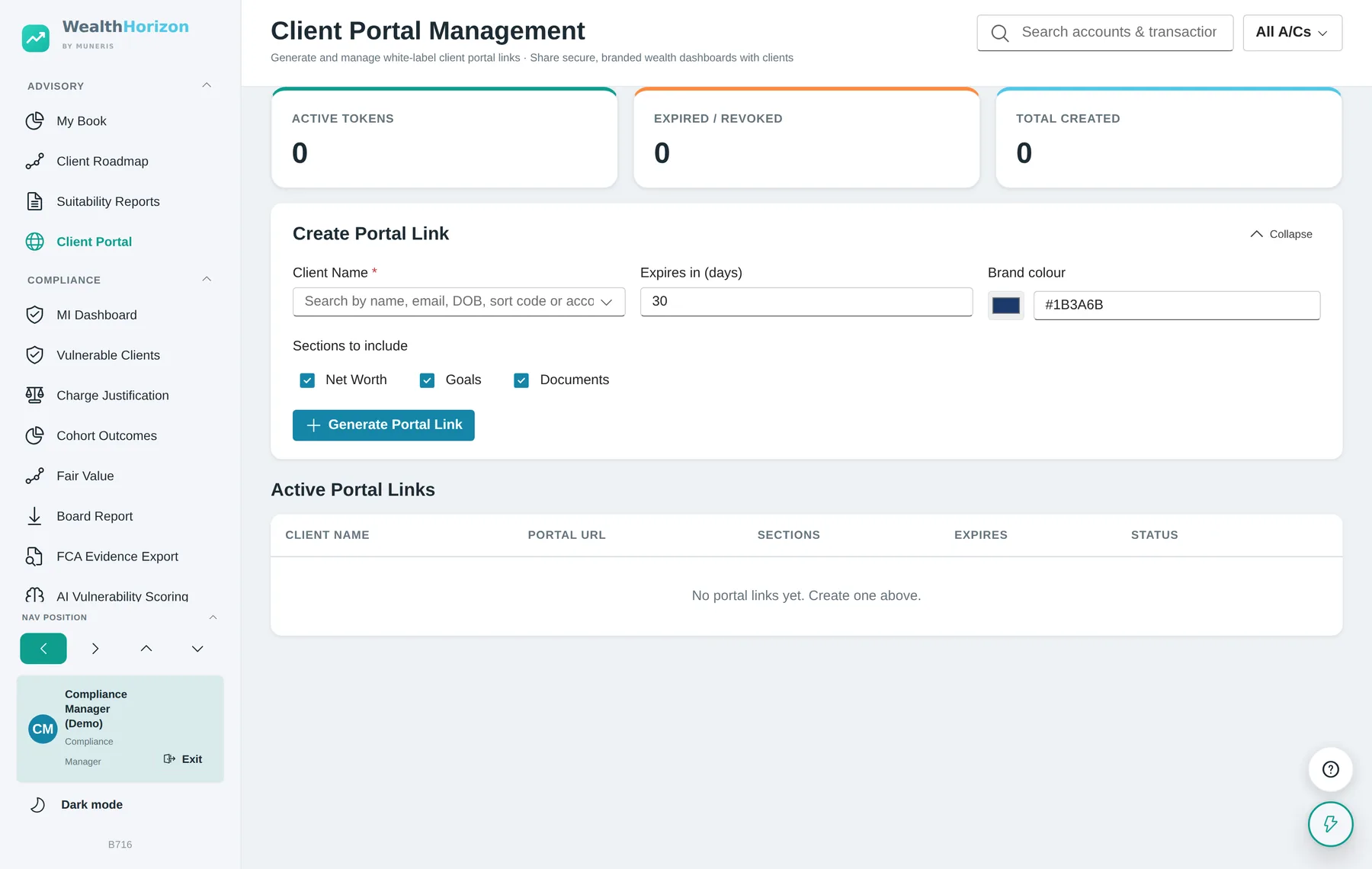
| Client Portal | A branded, read-only view of a client’s position, issued on an expiring link and revocable at any time. | |
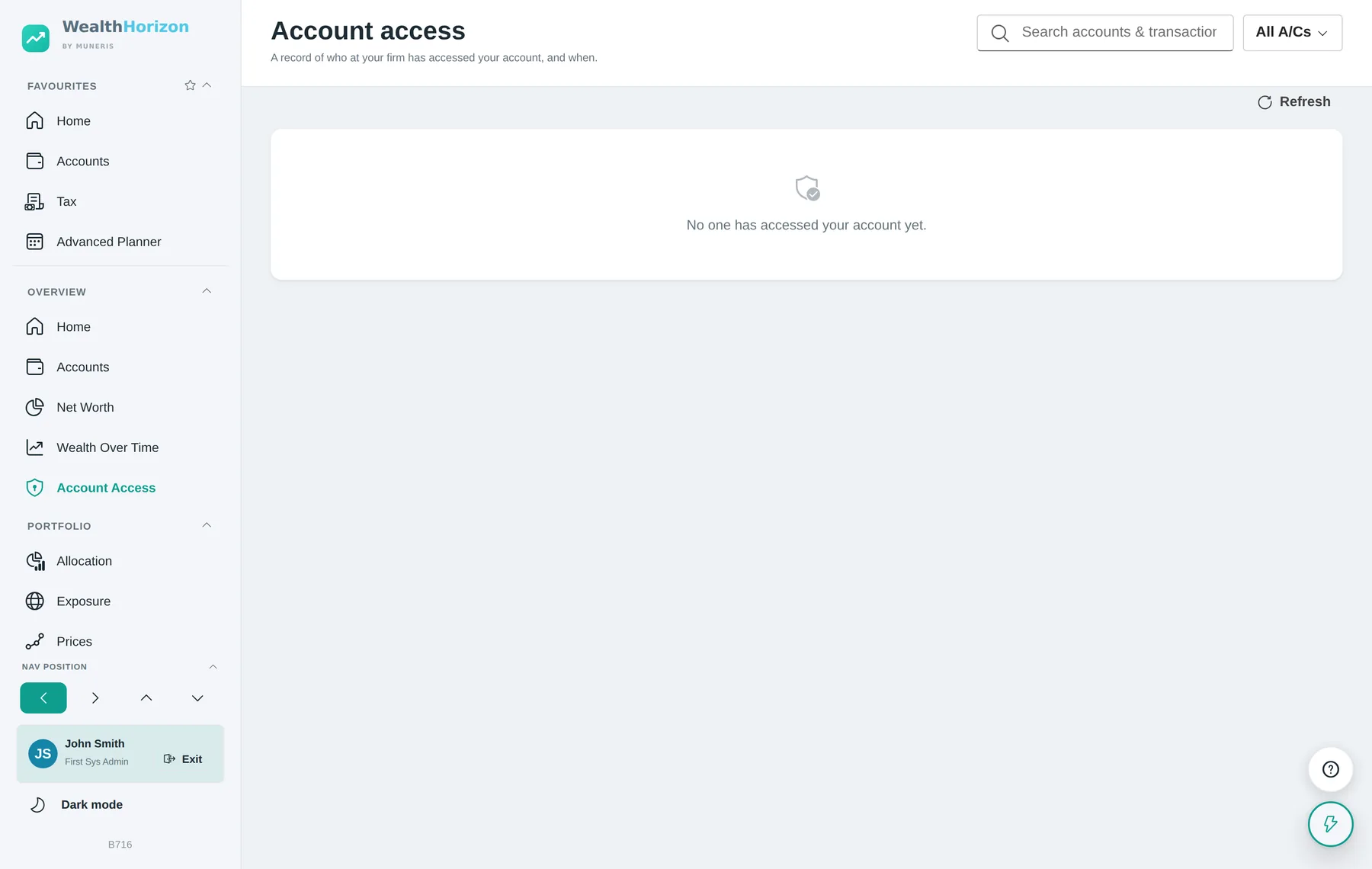
| Account Access | A client-facing record of who at the firm opened their account, when, and in what role — the transparency side of the same audit trail. | |
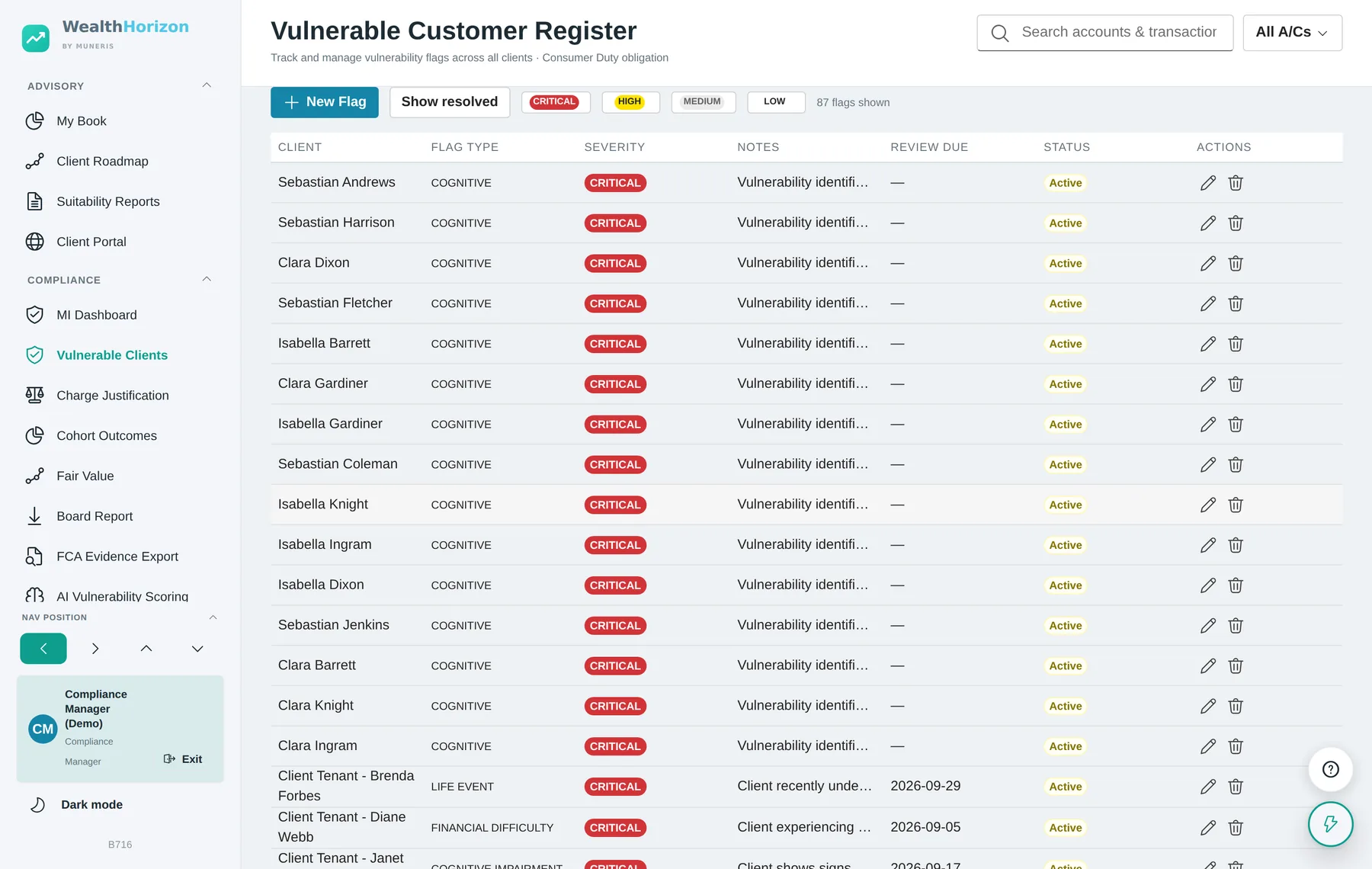
| Consumer support | Vulnerable Customer Register | Flag type, severity, contextual notes, the support actions taken and a review-due date, with an active / reviewed / resolved lifecycle. |
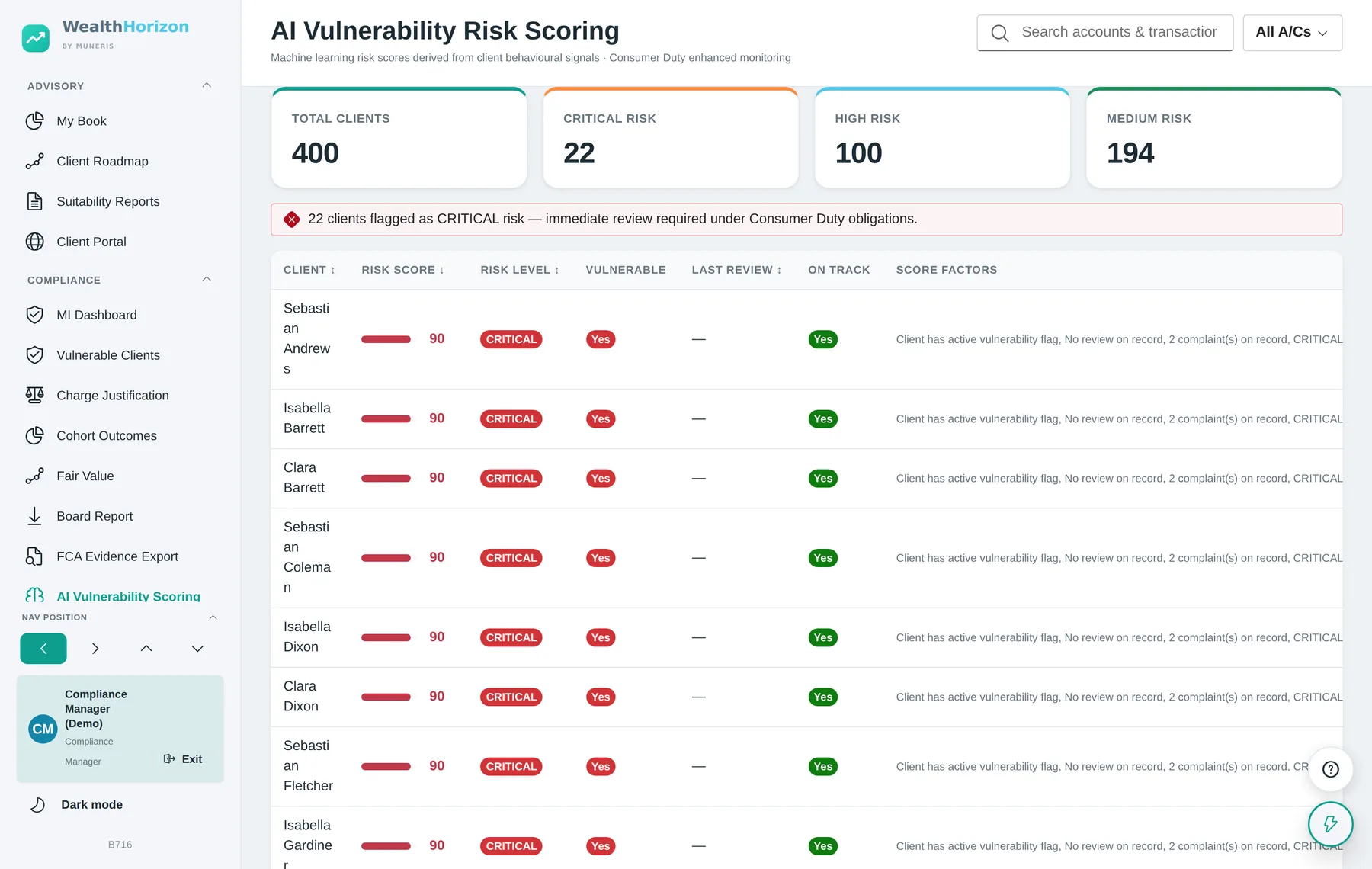
| Vulnerability Scoring | An explainable 0–100 score per client with the contributing factors listed, banded critical, high, medium and low, for prioritisation. | |
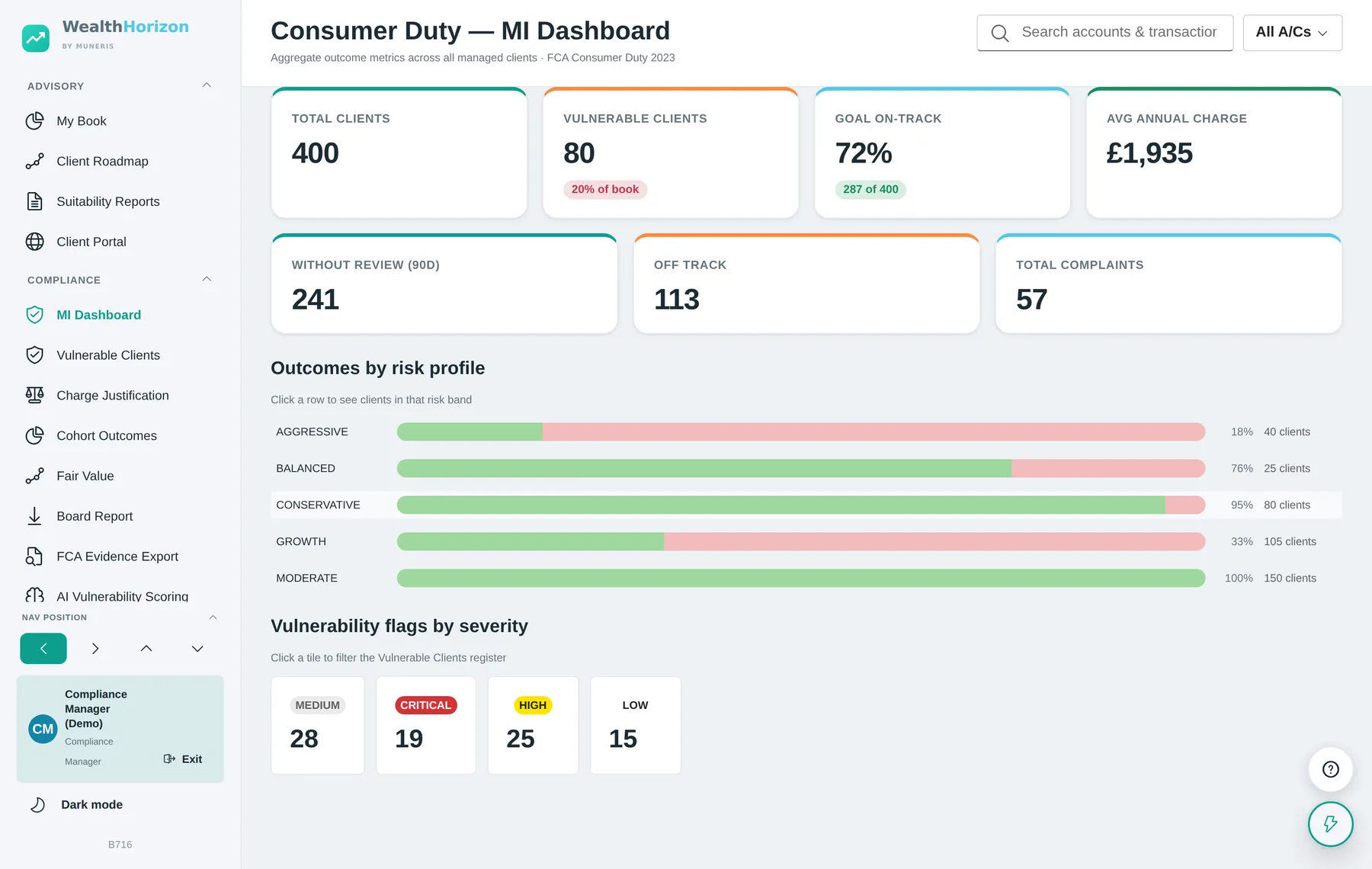
| Governance and monitoring | MI Dashboard | Aggregate outcome metrics across the book, with every headline figure opening the list of clients behind it. |
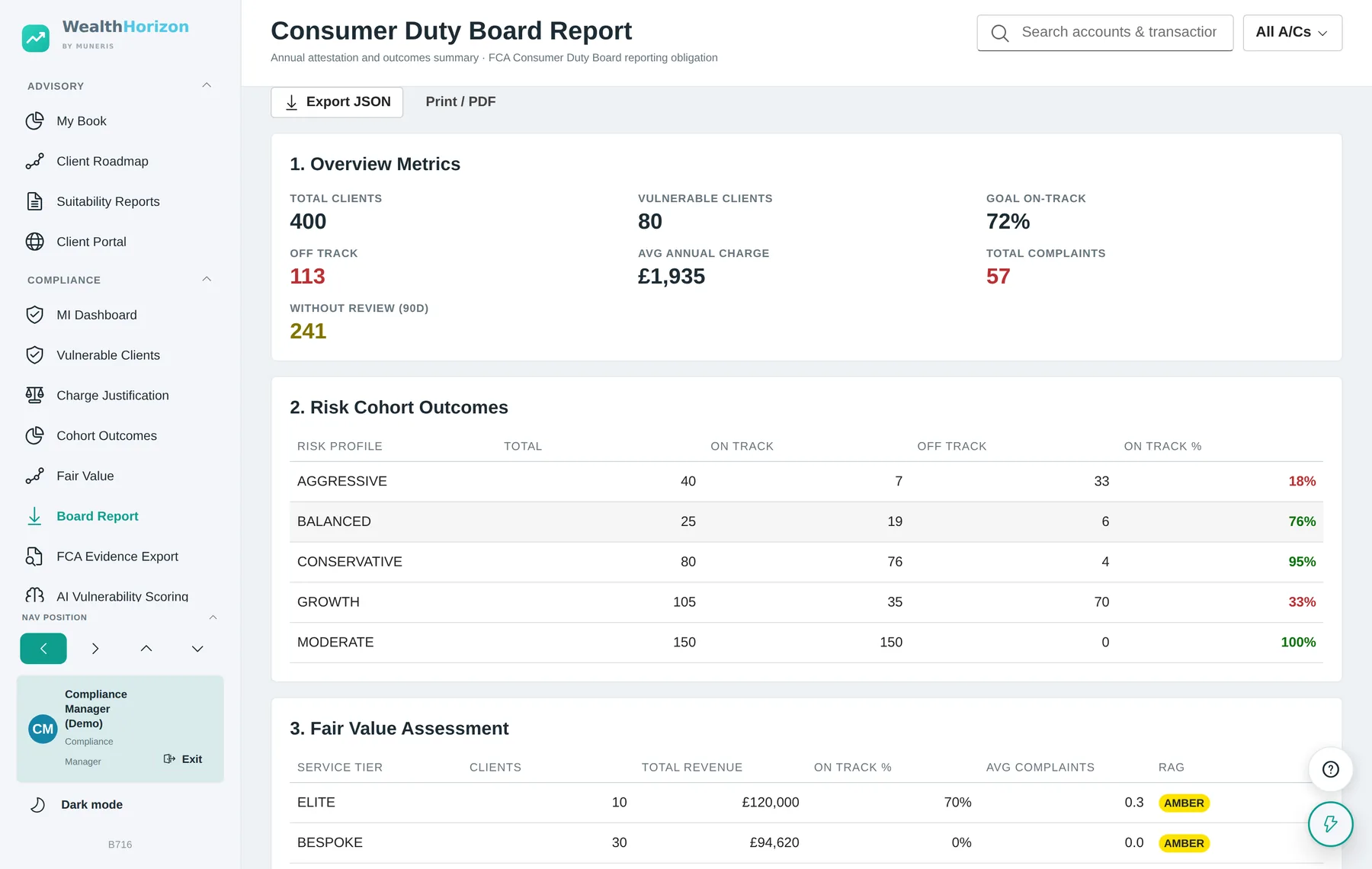
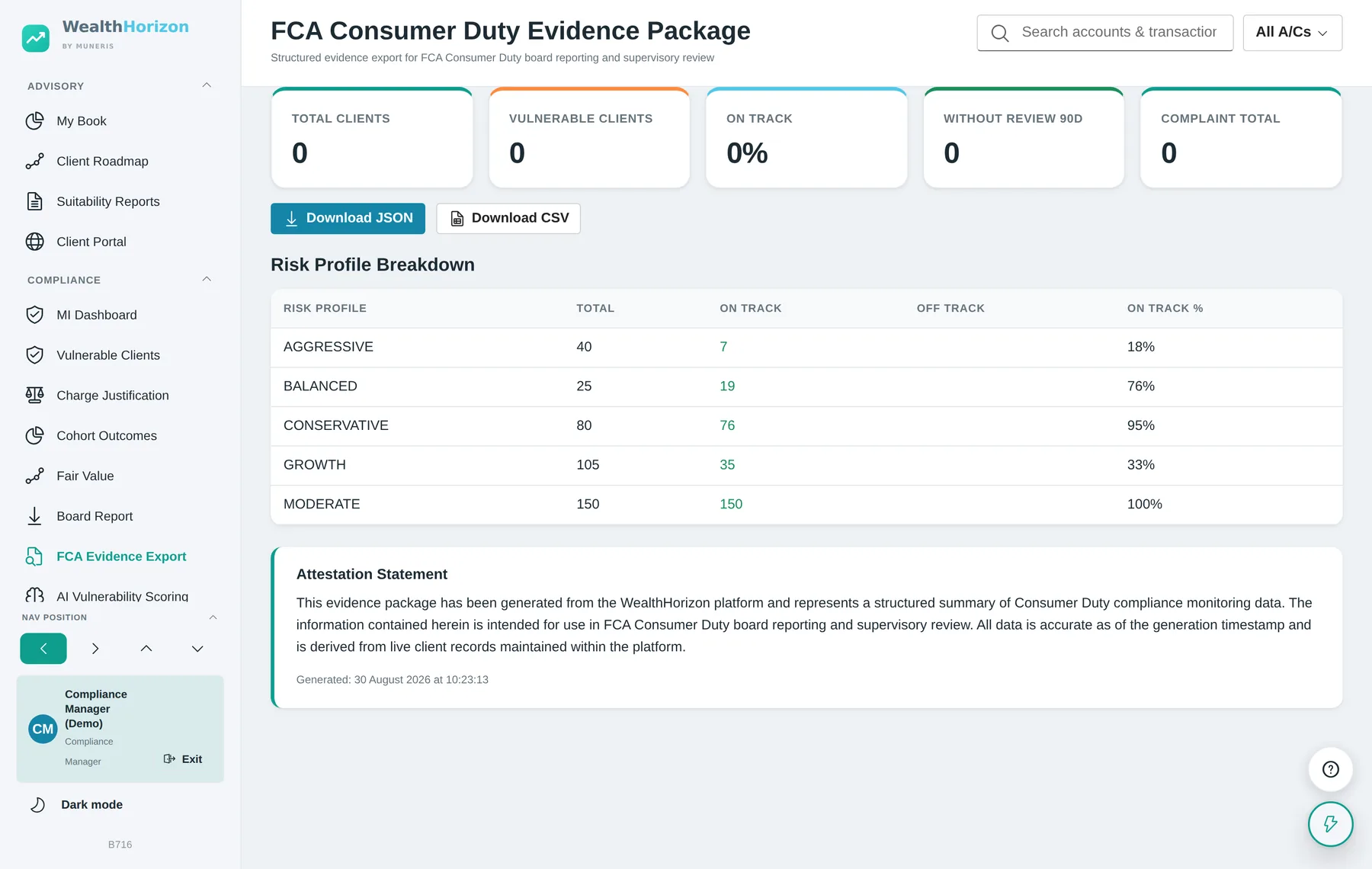
| Board Report | The annual attestation across the four principles, with overview metrics, cohort outcomes and the fair value table, exportable as JSON or printed for the board pack. | |
| FCA Evidence Export | A structured supervisory package over a twelve-month window in JSON, plus a flattened client-level CSV. |
Compliance oversight
Management information that resolves to a named client
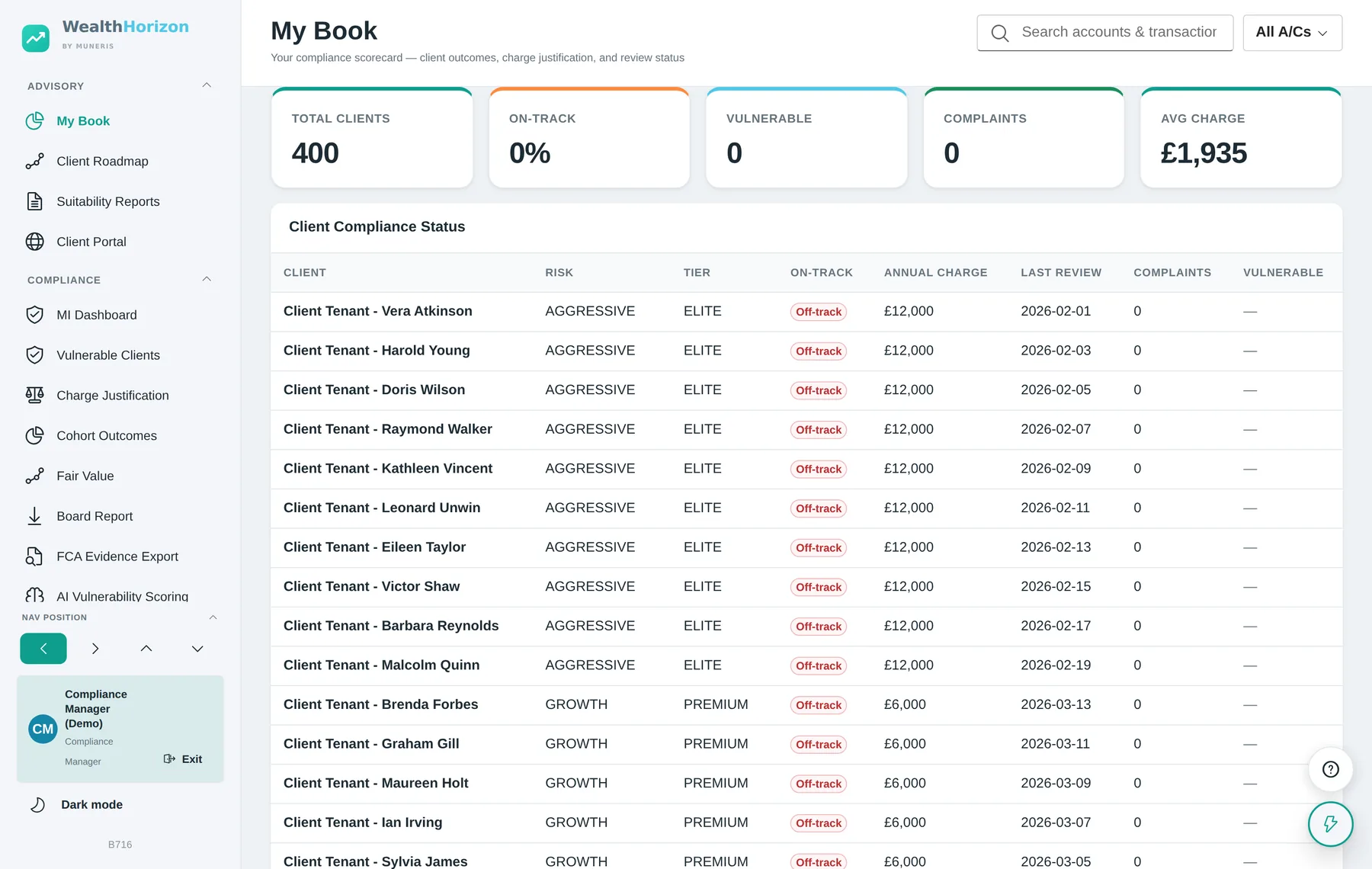
A percentage is only useful if you can turn it into a list of people to ring. Every headline figure in the compliance suite can be selected. That opens the group of clients behind it, and selecting one of those opens their record.
The advisory desk
The adviser’s working day, with the file written as it goes
An adviser opens on their own management information rather than a client list, because the first question of the day is which clients need attention. From there the work runs through the client record, the risk profile, the recommendation and the letter. Each step leaves behind what the next one needs.
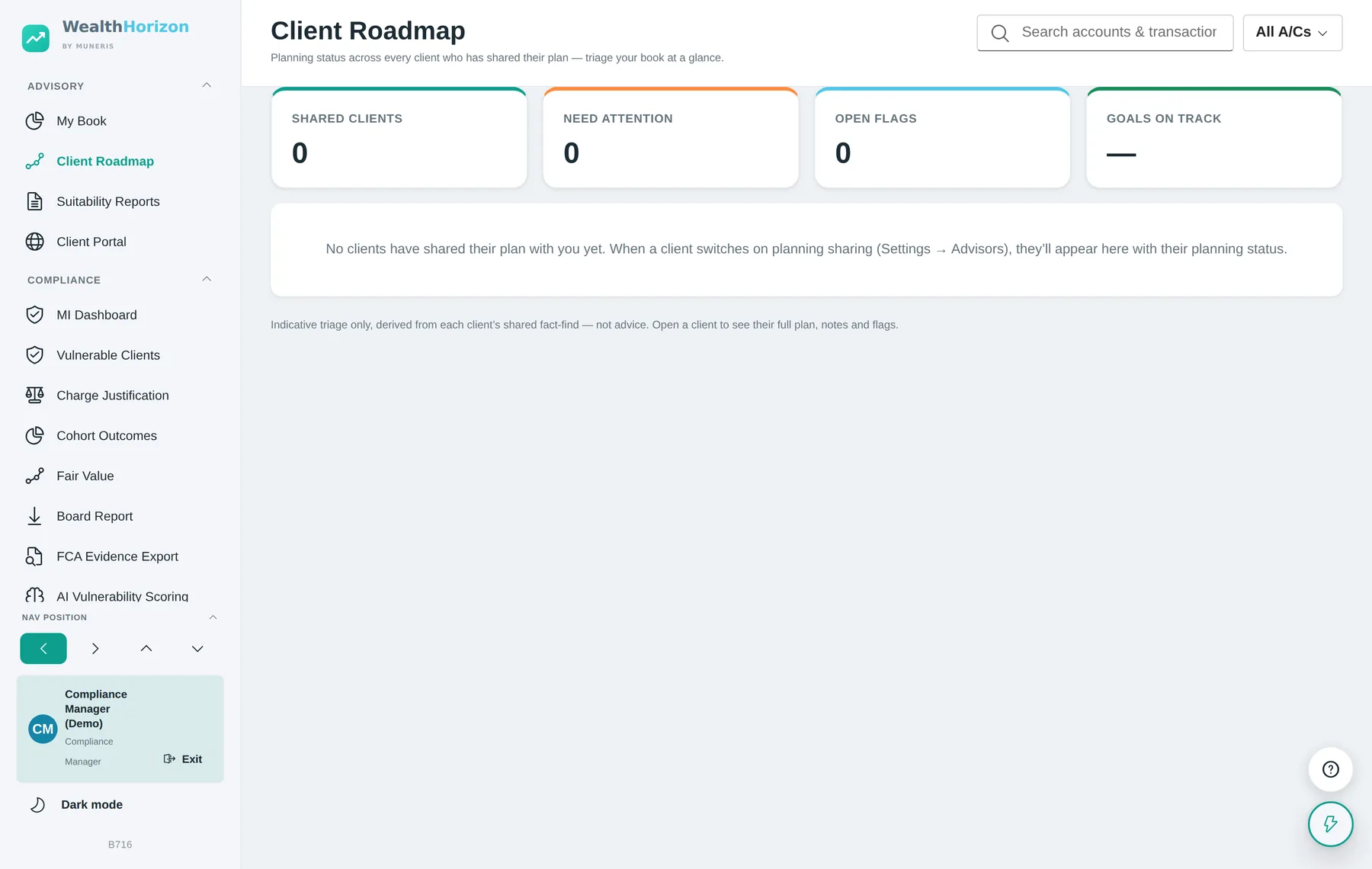
The client has to switch sharing on, and can switch it off again. An adviser can only see a client’s financial planning fact-find where the client has agreed to share it. The adviser can read it but not change it. The client can withdraw it at any point. Every read goes into the access log, and turning the consent on or off is logged too. The client can see any notes and flags the adviser records against the plan.
The client’s own planner, and proposing a change to it
The same consent opens the client’s Advanced Planner to the adviser, read-only. That is the full forecast: the tax worked out year by year, the inheritance tax for each year of the plan, the gift plan, the scenarios and the assumptions behind them. Every view is written to the client’s access log as a separate event.
An adviser can also propose a scenario. It is saved against the client’s plan, labelled as a proposal with the adviser’s name on it, and it appears on the client’s own What if… tab. The client accepts it or dismisses it. Until they decide, the adviser can keep editing it. Nothing an adviser does changes a client’s plan on its own.
The planner is not advice, and it does not become advice here. The forecast, the tax figures and the inheritance tax figures are projections worked out from assumptions the client or the adviser entered. The application labels them as guidance throughout. A proposed scenario is a modelled option, not a recommendation; whether it becomes one, and on what record, is a matter for the firm and its own advice process.
Supervision and firm hierarchy
Two views of the same book
Platform Overview puts every adviser side by side, so you can see which adviser. Firm Hierarchy rolls the same figures up through the reporting line, so you can see which team, and whose job it is. Between them, an amber indicator becomes a conversation with a named manager.
Roll-up, not re-entry
Every figure at every tier is worked out from the client records themselves. There is no reporting layer to fill in and no monthly return for advisers to complete, so what a manager reads is the position as it stands today.
Scoped to the reporting line
A manager sees their own part of the organisation. The page opens at their level and shows what reports to them. Seeing the whole firm is a compliance job, not a question of seniority.
Isolated or systemic
One adviser with a red on-track rate is a conversation with that adviser. Several advisers under the same manager showing amber is a capacity, process or training problem. The roll-up is what lets you tell the two apart.
Controls and separation of duties
How access is bounded, and how it is recorded
- Client isolationEach household or client is a separate tenant, and every record carries its tenant. Every query is scoped to that tenant before any data comes back. A member of staff acting for a client has to say which client, and the platform checks the relationship before it answers. That means an active engagement, a compliance role, or platform administration.
- Adviser scopeAn adviser sees the clients they are engaged with and no others. Which of a client’s accounts they may see is granted per account, not per relationship.
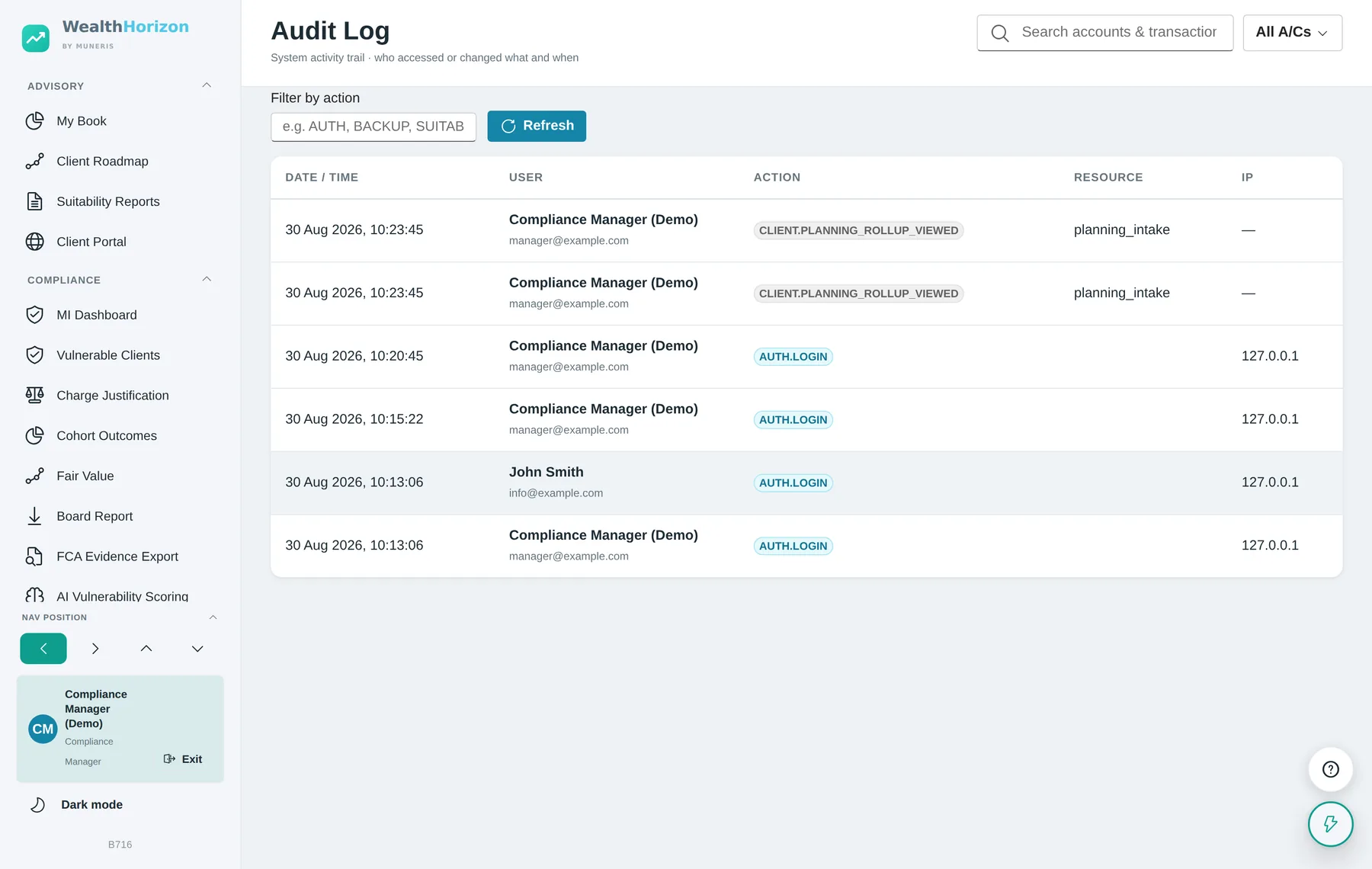
- Compliance scopeA compliance manager has firm-wide visibility of the compliance suite and is the only role that may open the audit log. Every other caller is refused.
- Management scopeA manager in the reporting hierarchy sees their own subtree, derived from the reporting chain rather than assigned by hand.
- Administrative floorThe platform will not let itself be left without an active system administrator, and the first administrator cannot be deleted, demoted or deactivated. Both rules are enforced twice. Once in the application, so the message tells you what went wrong. Once in the database, so a bug or a direct connection cannot get round them.
- Client record accessOpening a client’s overview goes into the audit log with who did it, in what role, what they opened and when. Reading a shared financial plan needs its own consent and is logged separately.
- Nominee accessA client may name a nominee, such as a partner or a child, who can read their accounts if the client cannot. The appointment is tightly bounded. The session is a one-hour token with no refresh token. Every call must be a read: backups, connections, settings, administration and all compliance and management screens are refused outright. The relationship must still be active and name the same household on every call. Withdrawing it takes effect on the next call, even in the middle of a session. Access only opens after a request the client is e-mailed about and can decline or allow early, and after a six-digit code the client sets. That code is stored as an argon2id hash and locks for thirty minutes after five wrong attempts. Everything goes into the client’s own audit trail: the invitation, the acceptance, the code being set, each sign-in and how it was allowed, wrong codes, requests, decisions and withdrawal. The nominee’s screen says whose accounts they are reading and that the visit is recorded.
- Assurance documentationThree documents are kept alongside the code and are available on request through the technical enquiry below. A penetration test brief, setting the scope, the ranked targets and the rules of engagement for an independent test, along with the findings already known and accepted. A secrets inventory, naming every secret, what an exposure of it would reach, and how to rotate it. A breach and incident response procedure, covering the first hour, how to contain an incident in this application, the 72-hour Article 33 deadline and who has to be told.
- One valuation, assertedEvery screen that shows a figure for an account uses the same function to work it out: the accounts list, net worth, allocation, the planner and the snapshot breakdown. A test checks that they all agree on the same data. Without that, two screens can quote different totals for the same client, each one adding up correctly, and there is no way of telling which one a suitability report was written from.
- AuthenticationPasswords are hashed with argon2id under a stated complexity policy. Sessions use short-lived signed access tokens, with rotating refresh tokens held only as a hash. Each user can turn on time-based one-time-password two-factor authentication. Resetting a password signs that user out on every device.
- Records at restBackups are held inside the database rather than as loose files, may be encrypted with a passphrase using AES-256-GCM, are scheduled with a retention count, and every run is logged.
- DeploymentThe platform runs on whatever infrastructure the firm chooses: its own premises, a private cloud or a public one. That covers data residency and sovereignty requirements without changing the software.
Scope of the platform’s role
WealthHorizon gives a firm tools that help it meet its regulatory obligations. It does not meet them for the firm. The firm remains responsible for its own permissions and regulatory status, for its data protection impact assessment, lawful basis, retention policy and subject access requests, for the accuracy of what it records, and for the advice it gives.
Nothing on this page is legal, regulatory or financial advice. Projections and planning figures are indicative and depend on what the user entered. The scoring tools point you at what to look at first. The judgement, and the record of what you did about it, stay with the firm.